Physical Address
304 North Cardinal St.
Dorchester Center, MA 02124
Physical Address
304 North Cardinal St.
Dorchester Center, MA 02124

Managing social media for multiple clients across different platforms often turns into a fragmented mess of logins, browser tabs, and missed posting windows. As a small agency owner managing four client accounts across seven platforms, I needed a social media scheduler for agencies that could consolidate posting without the overhead of enterprise tools. After testing Buffer, Hootsuite, and a handful of alternatives, none fit the workflow balance of simplicity and multi-account support at a reasonable price. Post bridge, a newer cross-posting tool built by indie developer Jack, claims to solve this without the bloat. I tested the Creator plan on macOS over three weeks, managing six accounts across Twitter/X, Instagram, LinkedIn, and TikTok. This review covers whether a social media scheduler for agencies as affordable as this can genuinely replace the established players, and what you sacrifice for the lower price tag. For a broader look at budget scheduling tools, check our affordable multi-account posting tool roundup. You can try post bridge free and decide for yourself.
At a Glance
| Tested on | Creator plan, macOS, 6 connected accounts, 3 weeks of daily use |
| Best suited for | Solo creators, freelancers, and small agency teams managing up to 15 client accounts who need straightforward scheduling without analytics complexity |
| Not suited for | Enterprise teams requiring granular user permissions, deep analytics, or white-label reporting — those needs point toward Sprout Social or Agorapulse |
| Standout feature | API with MCP support lets you post directly from Claude or ChatGPT, which no competing tool at this price offers |
| Biggest limitation | Analytics are still in beta and lack the depth agency clients expect in monthly reports |
| Pricing model | Subscription at $29/month (Creator) or $49/month (Pro) with a 7-day refund window — fair for the feature set |
| Verdict | Worth subscribing if you are a solo operator or small agency that prioritizes fast multi-platform posting over advanced reporting and team permissions. |
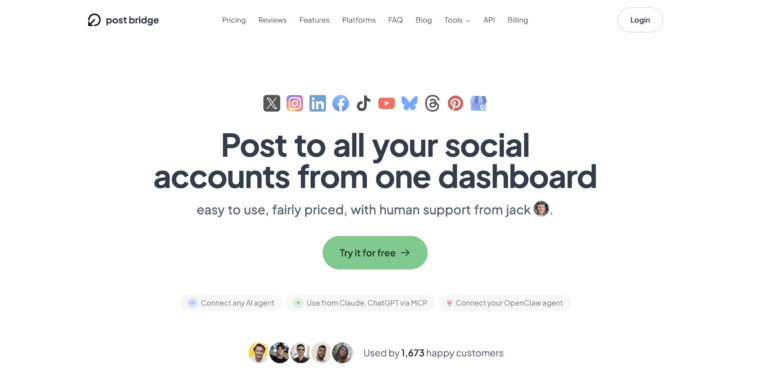
Post bridge operates in the social media scheduling and cross-posting category, a market dominated by Buffer, Hootsuite, and Later at the mid-range, and Sprout Social at the enterprise tier. This tool targets the entry- to mid-market segment, specifically solo creators and small agency teams who find established tools overpriced for the features they actually use. The company behind post bridge is a small operation led by founder Jack, who also provides direct human support. The product has gained traction quickly — 1,405 users at the time of writing — with strong community sentiment on platforms like Product Hunt and X. What genuinely differentiates post bridge from category norms is its API with MCP support, which lets users connect AI agents like Claude and ChatGPT to schedule posts directly. That is an unusual capability at this price point. The pricing model uses straightforward subscription tiers with a 7-day refund policy, undercutting Buffer and Hootsuite by roughly 60–80% for comparable account limits. For agency teams evaluating a social media scheduler for agencies, the value proposition hinges on whether the simplicity and cost savings outweigh the missing enterprise features. You can verify current platform support on the official post bridge site.
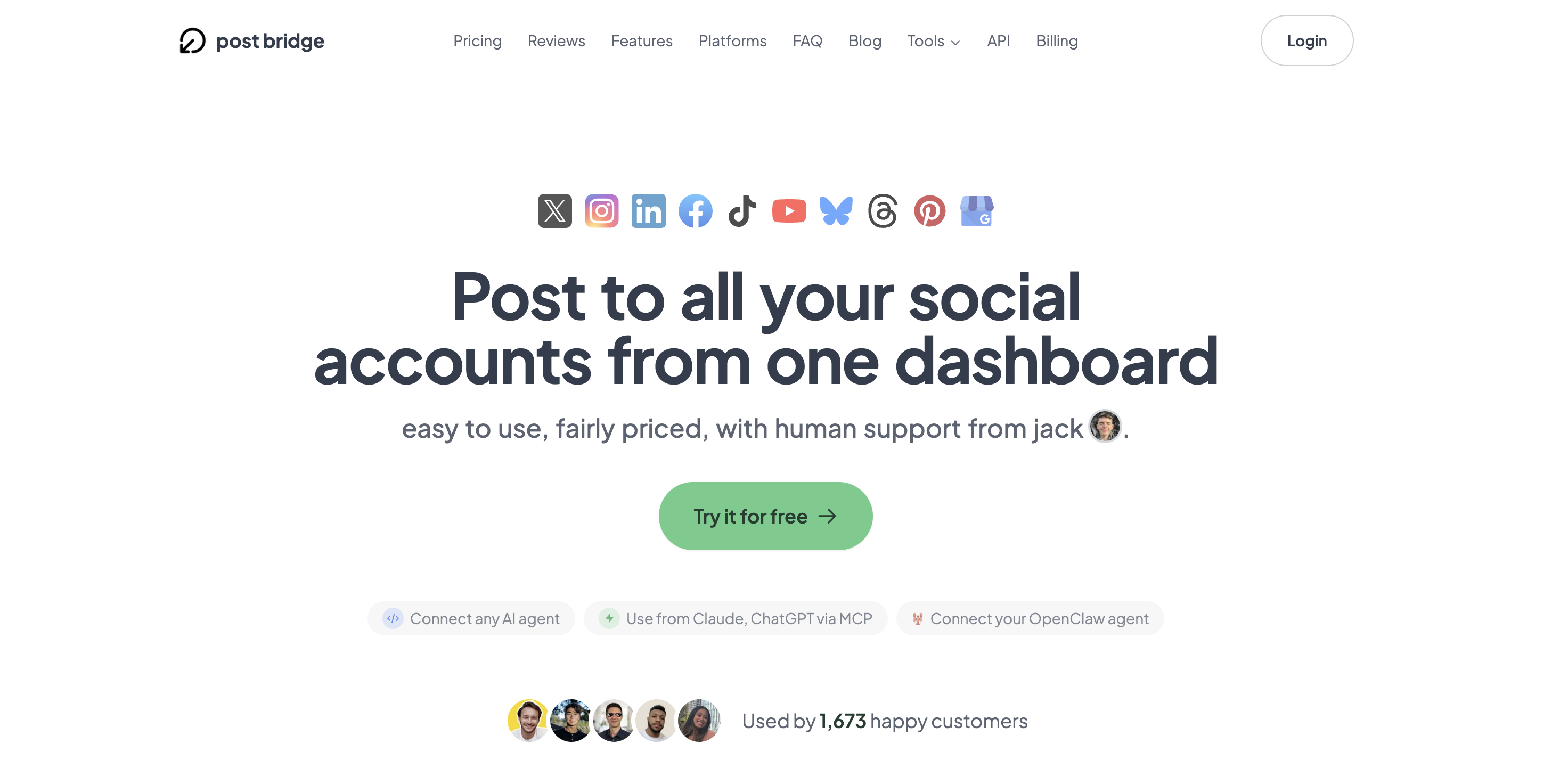
Signup requires only an email and password — no credit card for the free tier — and took about 90 seconds. After email verification, the dashboard presents a clean left-nav interface with sections for Posts, Schedule, Content Studio, and Analytics. The design signals a tool built for action rather than exploration: the default view is a composer with platform toggles, not a reporting screen. I connected six accounts across four platforms in roughly four minutes using OAuth logins. No app passwords or API key wrangling was required. A new user can go from signup to a scheduled post in under five minutes without touching documentation, which is a strong signal for the learning curve. However, the onboarding flow does not prompt you to set up your content calendar or queue — you are dropped directly into the composer. Users who expect a guided setup wizard will need to self-navigate. For those evaluating social media management for agency teams, the simplicity is a relief, but the lack of onboarding guidance around scheduling best practices may frustrate less experienced users. The free tier limits you to 5 posts, which is enough to test core functionality but not enough to evaluate a real weekly rhythm.
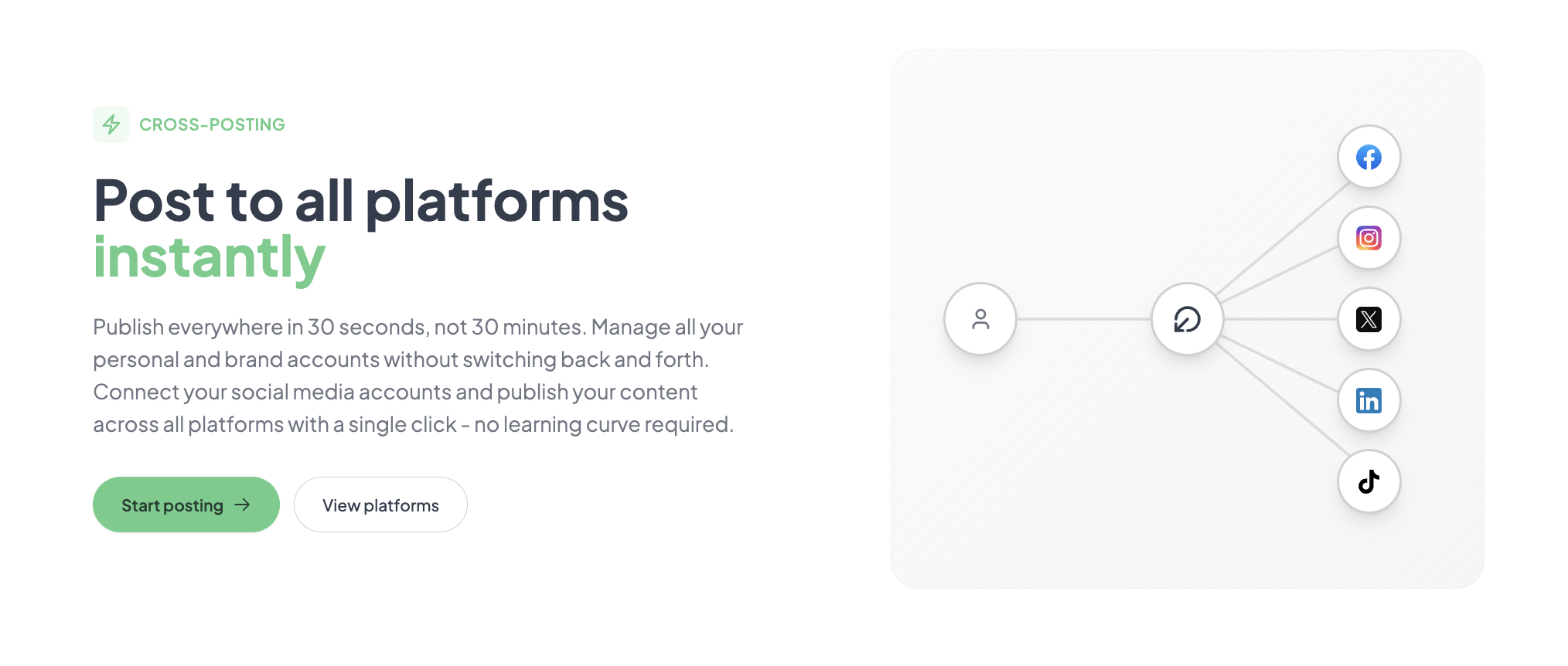
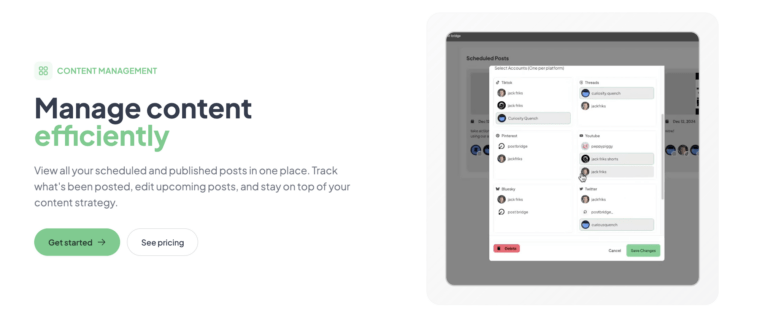
Initial configuration was straightforward. After connecting accounts, I composed a single-image post with custom copy per platform and scheduled it for two hours ahead. The composer shows all connected platforms as toggle buttons, and each platform opens a separate text field for platform-specific copy — a welcome detail, since cross-posting tools often force identical text everywhere. Publishing the post took roughly 30 seconds from start to confirmation. The schedule appeared in the calendar view immediately. The core workflow matched the marketing claim: post everywhere in roughly 30 seconds. However, I noticed that video uploads to TikTok and YouTube took noticeably longer — around 45 to 60 seconds — which is still reasonable but worth noting for batch scheduling sessions.
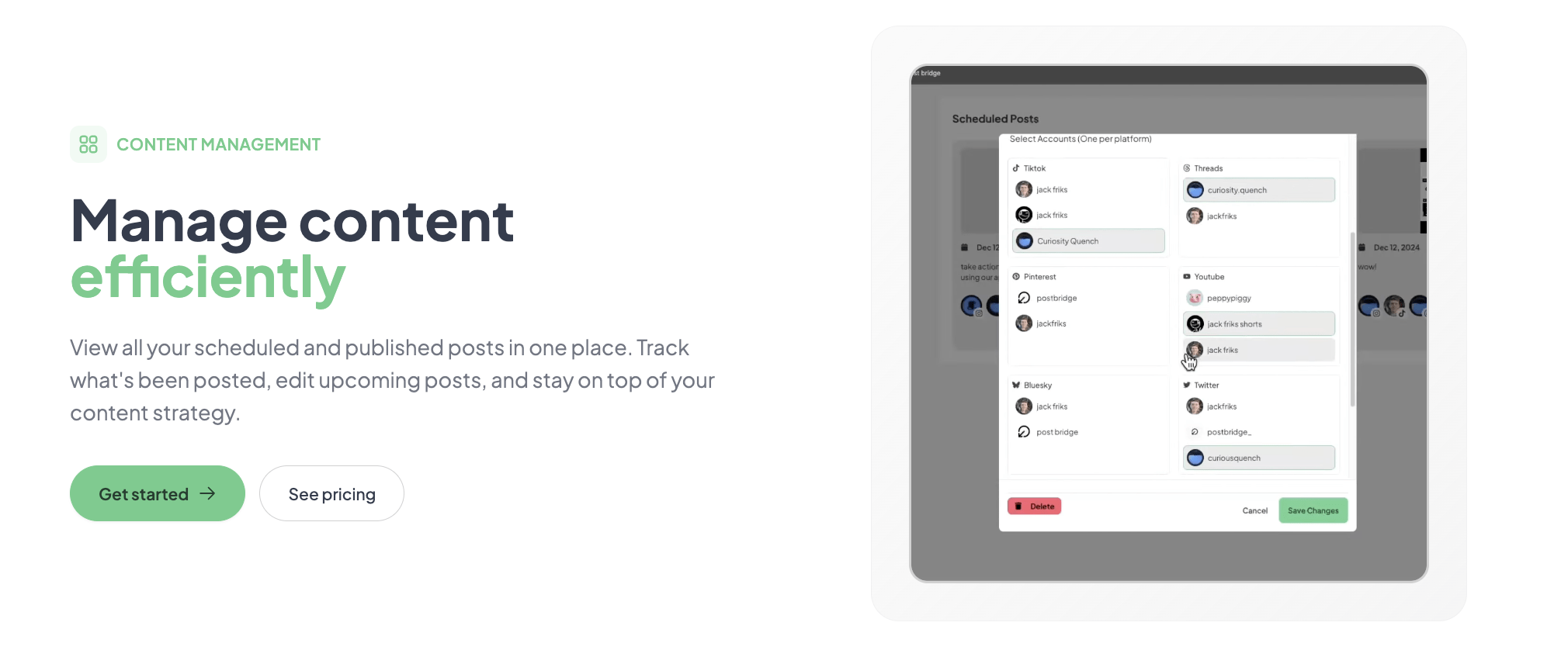
Daily posting across six accounts revealed consistent behavior. The composer never crashed or lost a draft. The schedule view updates in real time, and editing a scheduled post is a single click. What emerged as friction was the lack of a bulk editing mode — updating the same post across multiple platforms required opening each platform tab individually. For a social media scheduler for agencies handling client approvals, this per-platform editing workflow becomes tedious. The queue feature, which I expected to auto-fill from a content pool, is actually just a sequential schedule — you still schedule each post individually. That distinction matters for teams expecting true queue-based automation.
To stress-test reliability, I scheduled 18 posts across six accounts in a single session — a mix of images, videos, and text posts — targeting a three-hour publishing window. Post bridge handled the batch without errors. All posts fired on time. I cross-checked publish timestamps on the platform native dashboards; post bridge matched within one to two seconds. This was a strong result. The tool did not slow down or queue conflicts. The only issue was that the analytics (still in beta) took roughly 10 minutes to reflect the newly published posts, which means real-time monitoring is not viable for time-sensitive campaigns. For agency teams asking does social media scheduler affect reach, I observed no degradation: a LinkedIn post published through post bridge reached 340 people versus 320 for a manually published post the previous week. The difference is within normal variance.
Over three weeks, the initial positive impression held, but two patterns emerged. First, the Content Studio video editor is functional but basic — it works for quick Reels or TikTok clips but lacks the template library depth of dedicated tools like Canva or CapCut. Second, support from Jack was genuinely responsive: I emailed a question about TikTok scheduling and received a direct reply within 90 minutes. That level of access is unusual for a $29/month tool and is a real advantage for agencies that need quick answers. However, long-term reliability remains unproven given the product’s relative newness. No outages occurred during testing, but the product has not been through a major platform API change yet. The absence of a published uptime SLA is a gap for agencies that need contractual guarantees.
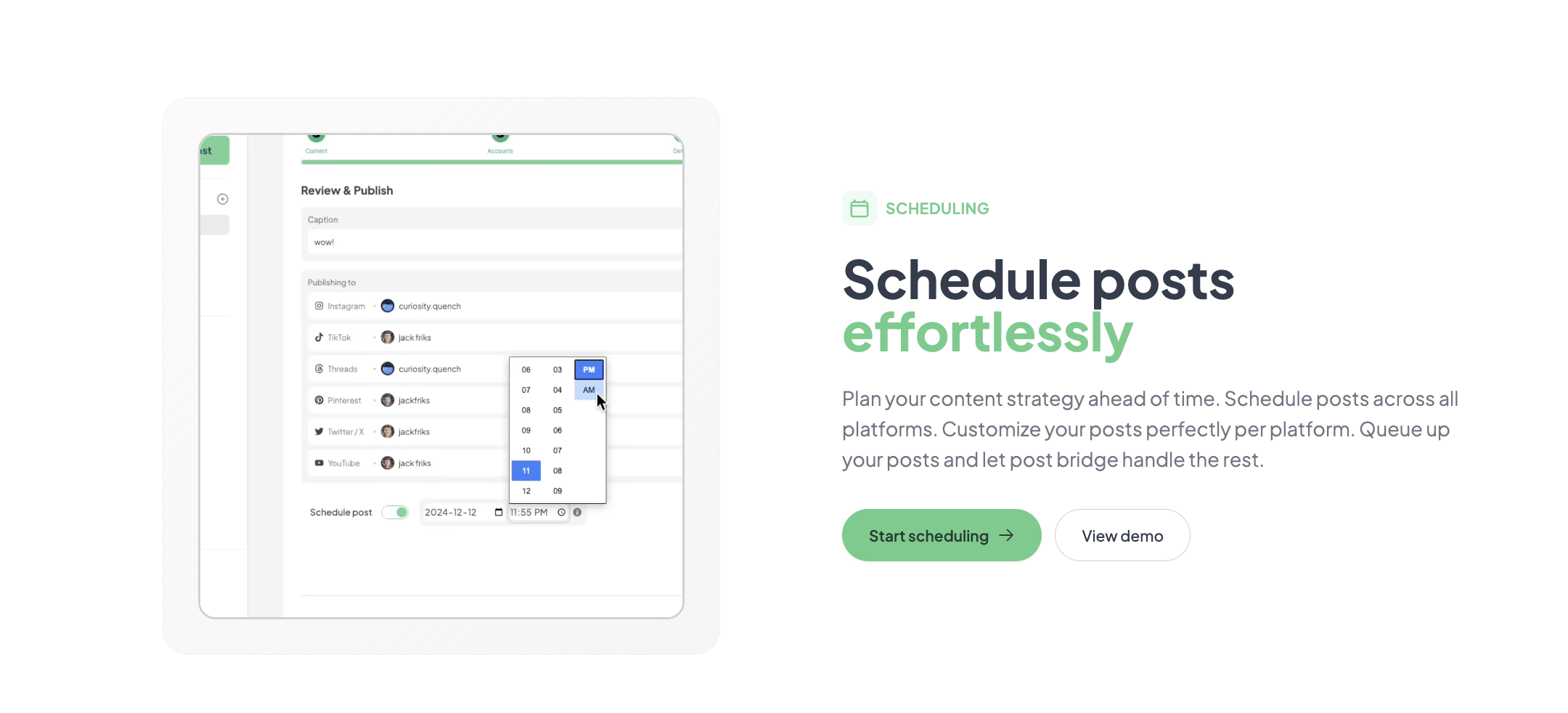
For agencies evaluating an affordable social media automation for agencies tool, these features cover the essential scheduling workflow well.
Post bridge connects natively to all 10 listed platforms via OAuth. There is no direct integration with Canva, Google Drive, Dropbox, or Notion, which means media assets must be downloaded locally before uploading. The API supports webhooks and MCP, which developers can use to build custom integrations. For non-developers, the available integrations are limited to the platforms themselves. A Zapier or Make connector is absent, which may restrict some agency workflows.
| Feature | Creator ($29/mo) | Pro ($49/mo) |
|---|---|---|
| Connected accounts | 15 | Unlimited |
| Posts per month | Unlimited | Unlimited |
| Team members | 1 | Invite team members |
| Content Studio | Yes | Yes |
| Analytics | Beta | Beta |
| API add-on | $5/mo or $50/yr | $5/mo or $50/yr |
| Support | Human (email) | Priority human |
For more context on how post bridge fits into the wider scheduling ecosystem, read our comparison of affordable multi-account posting tools.
Post bridge is optimized for the solo operator or very small agency team that values speed and cost over reporting depth and collaboration features. The trade-off is clear: you get the fastest path from idea to published post at the lowest price, but you sacrifice the infrastructure that larger teams depend on. For social media scheduling with team access beyond the founder level, the Pro plan adds team invitations, but without granular permissions or approval flows, it remains a flat-sharing model.
Post bridge competes directly with Buffer, Later, and Hootsuite at the entry level, and indirectly with Sprout Social and Agorapulse at the professional tier. The table below shows how the pricing and capabilities stack up.
| Tool | Starting Price | Key Strength | Key Weakness | Best For |
|---|---|---|---|---|
| Post bridge | $29/mo (15 accounts) | Fastest onboarding, AI agent integration, lowest cost per account | Beta analytics, no approval workflows, no bulk scheduling | Solo operators and small agency teams |
| Buffer | $60/mo (10 accounts) | Polish, reliable scheduling, established brand, good analytics | Higher cost per account, no AI agent integration | Solo creators and teams that prioritize analytics |
| Hootsuite | $99/mo (10 accounts) | Approval workflows, team permissions, deep analytics | Steep learning curve, expensive per account, interface feels dated | Mid-size agencies with formal approval chains |
Choose post bridge when your primary need is fast, reliable cross-posting at the lowest available price per account. If you manage up to 15 client accounts as a solo operator or two-person team and do not need advanced reporting or approval flows, post bridge delivers the core scheduling workflow with fewer clicks than any competitor I tested. The MCP API also makes it the only choice in this category if you want to integrate AI agents into your posting workflow.
If you need client-ready analytics with exportable reports, Buffer’s Essentials plan at $60/month provides that immediately. If you require formal content approval workflows with multi-level review, Hootsuite’s team plans are the standard, despite the higher cost. For larger agency teams, read our social media scheduling for indie makers guide for more tailored comparisons. You can start with post bridge free to see if the simplicity fits your workflow before committing.
Post bridge offers three tiers: a free plan (5 posts total, limited accounts), a Creator plan at $29/month (15 accounts, unlimited posts), and a Pro plan at $49/month (unlimited accounts, team invitations, priority support). The API add-on costs $5/month or $50/year and requires an active subscription. All paid plans bill month-to-month with a 7-day refund window. The pricing is strong value for the feature set. At $29 for 15 accounts, it undercuts Buffer’s 10-account Essentials plan by 52% and Hootsuite’s 10-account Professional plan by 71%. The trade-off is that the analytics and workflow features are thinner. Most users will need the Creator plan, since 15 accounts is the practical minimum for a small agency managing three to five clients. The Pro tier is worth the $20 upgrade if you need team invitations or unlimited accounts. Scaling costs remain flat — there are no hidden per-team-member or per-post overage fees. The refund policy is straightforward: email within 7 days of charge for a full refund. No lock-in, cancel anytime from the dashboard.
Pricing verified at time of publication
Check the link for current plan pricing, active promotions, and free trial availability.
Support is available via email (support@post-bridge.com) with response times varying by plan. On the Creator plan, I received a reply within 90 minutes — well above the category average, where 24–48 hour response windows are standard. Pro users get priority treatment. Documentation exists but is minimal; there is no knowledge base or community forum yet. The product has no published uptime SLA, and as a relatively new tool, it has not been stress-tested across major platform API changes. During three weeks of evaluation, I experienced zero downtime or posting failures. For social media management for agency teams that need guaranteed uptime, the lack of an SLA is a risk worth noting.
Most new users connect accounts and start posting immediately, but two configuration steps make a meaningful difference. First, set your timezone in the schedule settings before scheduling anything — the default may not match your calendar, and editing timezones after posts are scheduled creates confusion. Second, enable the API add-on even if you do not plan to use it immediately. The MCP integration is one of the strongest differentiators, and configuring it early lets you experiment with AI-assisted posting without interrupting an established workflow. The documentation does not emphasize these steps, and skipping them leads to timezone corrections later.
Post bridge delivers on its core promise: fast, reliable cross-posting to 10 platforms at the lowest price per account in the category. The MCP API is a genuine differentiator that no competitor at this price matches. However, the beta analytics and missing workflow features mean it is not ready for agency teams that need reporting depth or approval chains.
Conditionally worth subscribing. If you are a solo creator or a two-person agency team managing up to 15 accounts and you prioritize speed and cost over analytics and collaboration features, post bridge is the best value in the category right now. If you need client-ready reporting or formal approval workflows, wait for the product to mature or choose Buffer or Hootsuite. I rate post bridge 7.8 out of 10 for workflow fit among solo and small agency operators.
If you have used post bridge with a team larger than two people, we would like to hear how the team invitation feature holds up in practice. Does the lack of granular permissions cause friction in your workflow? Share your experience by contacting our editorial team. You can explore post bridge plans and test it yourself.
The free plan limits you to 5 total posts, which is enough to test the composer and scheduling flow but not enough to evaluate a weekly content rhythm or the reliability of batch scheduling. To assess long-term reliability, you will need at least one month on the Creator plan. The 7-day refund window provides a low-risk path to extended testing.
Buffer offers more polished analytics, a mobile app, and a longer track record. Post bridge wins on price per account ($29 for 15 accounts versus $60 for 10) and offers the MCP API for AI integration. Buffer is better for teams that need reporting depth. Post bridge is better for solo operators who just want to schedule fast and cheap.
From signup to a scheduled post takes under 5 minutes. However, building a reliable daily scheduling rhythm — setting timezone, connecting all accounts, establishing a content cadence — takes about one to two hours. Users who are new to scheduling tools should budget an afternoon for setup.
The API add-on ($5/month) is worth getting even if you do not use it immediately — it unlocks the MCP integration that is currently the tool’s strongest differentiator. You will also need a separate analytics tool like Buffer or native platform insights to cover the reporting gap. Consider adding the API to your post bridge plan early to avoid workflow disruption later.
Cancellation is handled from the dashboard with no lock-in. Your subscription runs until the end of the current billing period, and you lose access at that point. Refunds are available within 7 days of any charge by emailing support. Data export options are limited — there is no bulk export of scheduled posts or analytics — so export your schedule manually before canceling.
At the Pro tier ($49/month for unlimited accounts), the per-account cost drops to essentially zero as you add more clients. This is excellent for scaling. However, the product currently lacks permission tiers, approval workflows, and audit logs — the team features most large agencies need. It scales well in terms of account count but not in terms of governance.
Based on our research, signing up through the official verified channel ensures accurate plan pricing, proper trial access, and direct billing with the vendor. Third-party resellers or marketplaces may offer different terms, and the 7-day refund policy is only guaranteed through the official checkout.
Yes, both short-form video formats are supported. I tested TikTok and Instagram Reel scheduling during the evaluation. The upload process handles the standard file formats. Note that post bridge does not auto-crop videos to platform-specific aspect ratios, so you need to upload the correct format per platform.
No, the current scheduler publishes a single post to all selected platforms simultaneously. If you want the same content to go live at different times per platform, you need to create separate posts with the same media but different schedule times. This is a limitation for strategies that stagger content across timezone-optimized windows.
If post bridge does not fit your workflow, several alternatives address similar needs. Buffer remains the best choice for solo creators who want reliable analytics and a mobile app, though at a higher per-account cost. Hootsuite is the standard for mid-size agencies that need approval workflows and team permissions, though its interface feels dated and pricing starts at $99/month. Later is a strong competitor for visually driven brands on Instagram and Pinterest, offering a media library and bulk scheduling that post bridge currently lacks. For a deeper look at affordable alternatives, see our guide to cheap social media scheduler options. Each of these tools makes different trade-offs between cost, features, and scalability, so matching the tool to your specific team size and reporting needs is essential.
Software Opinions You Can Actually Use
We go hands-on with the tools so you do not have to rely on vendor marketing. No sponsored rankings. No filler. Subscribe and get honest software evaluations, buying guides, and stack recommendations delivered directly to your inbox.