Physical Address
304 North Cardinal St.
Dorchester Center, MA 02124
Physical Address
304 North Cardinal St.
Dorchester Center, MA 02124

At a Glance
| Tested on | Creator plan ($29/month), macOS Chrome, 6 connected accounts, 2-week evaluation |
| Best suited for | Solo founders, indie makers, and freelancers managing 5–15 social accounts who want a cheap, no-frills cross-posting tool |
| Not suited for | Agencies or teams needing team collaboration, advanced analytics, or deep content calendar views with drag-and-drop planning |
| Standout feature | The speed of the cross-posting flow — from opening the dashboard to a post live on six platforms in under 40 seconds |
| Biggest limitation | No native team collaboration or approval workflows; every user manages their own account connection |
| Pricing model | Subscription — $29/month Creator (15 accounts), $49/month Pro (unlimited). Fair pricing relative to category. |
| Verdict | Worth subscribing if you are a solo operator frustrated with spending hours manually posting to each platform. The simplicity and price are hard to beat. |
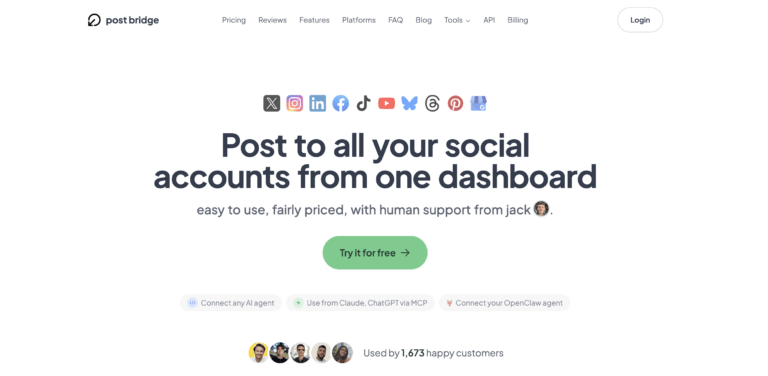
Social media scheduling tools occupy a crowded market, but most of them target mid-market teams and charge accordingly. Post Bridge enters the category as a budget-first alternative aimed squarely at solo operators, indie creators, and small teams who found Buffer ($75–$200/month for useful plans) or Hootsuite prohibitive. The company is a small operation — founded and run by an individual developer named Jack, with a clear emphasis on lean support (email only, founder-level response). Its differentiator is not a feature advantage but a pricing and simplicity advantage: the product strips away enterprise-oriented dashboard complexity to deliver a core cross-posting workflow that takes roughly 30 seconds per action. The pricing model is subscription-based with two tiers — Creator at $29/month for up to 15 accounts and Pro at $49/month for unlimited accounts — which undercuts every major competitor in the category by a significant margin. For a solo founder asking how do solo founders post to all social platforms quickly without monthly tooling costs that rival a SaaS subscription, this positioning makes immediate sense.
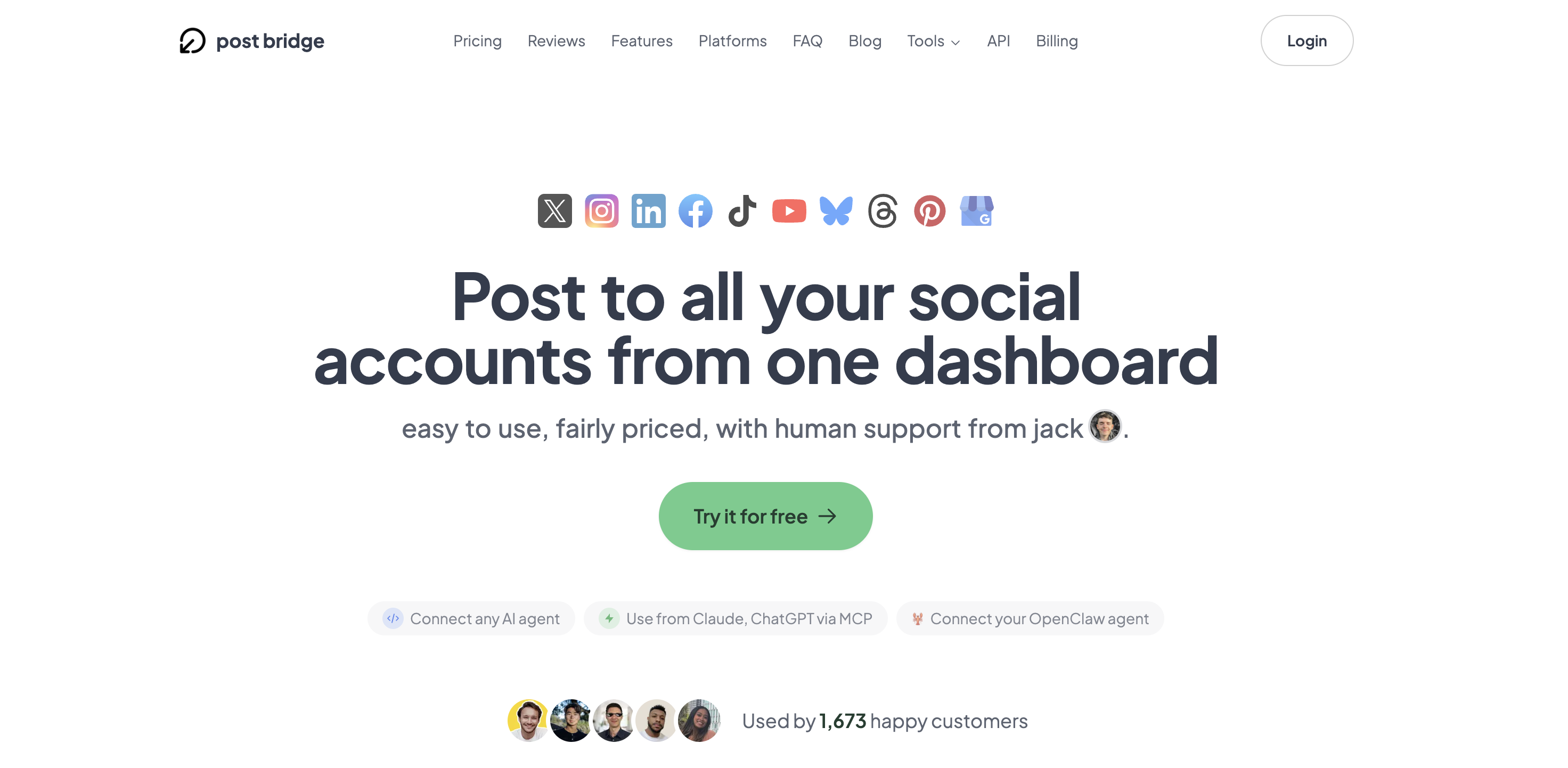
Signup takes under two minutes with email authentication — no credit card required for the free tier, which allows five total posts across all connected platforms. The dashboard lands on a clean, minimal interface with a single primary call to action: connect your social accounts. Each connection opens the platform’s own OAuth window, so no passwords are shared. I connected six accounts in roughly four minutes total. The design is sparse — a left sidebar with account status indicators and a main content area that shows a unified post composer and a basic calendar view of scheduled and published posts. The interface makes no attempt to tutorialize, which means a new user can go from account creation to a scheduled post in under five minutes without touching documentation. The only immediate gap was the absence of a bulk action for video uploads on the free tier — that feature lives on the paid plans. For anyone wondering how do solo founders post to all social platforms quickly during first use, the answer reveals itself almost instantly: connect accounts, write once, post to all.
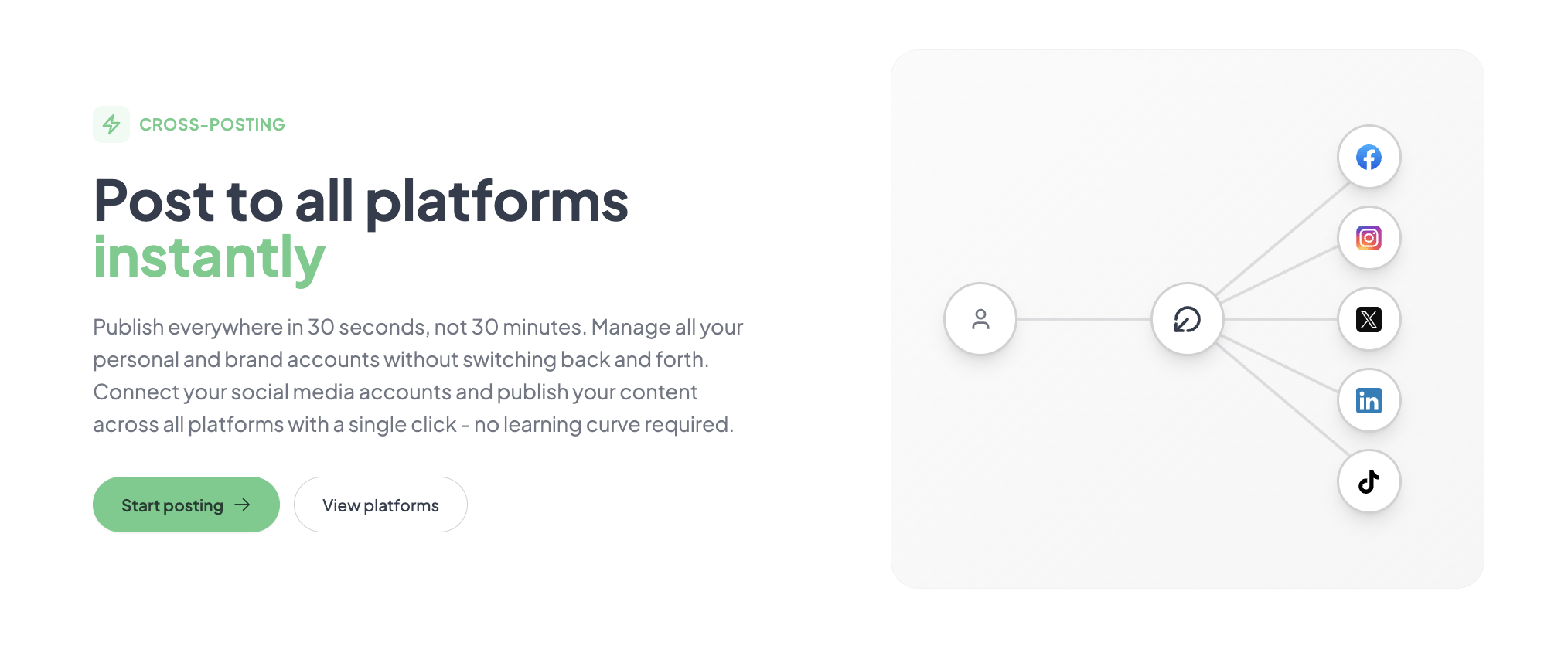
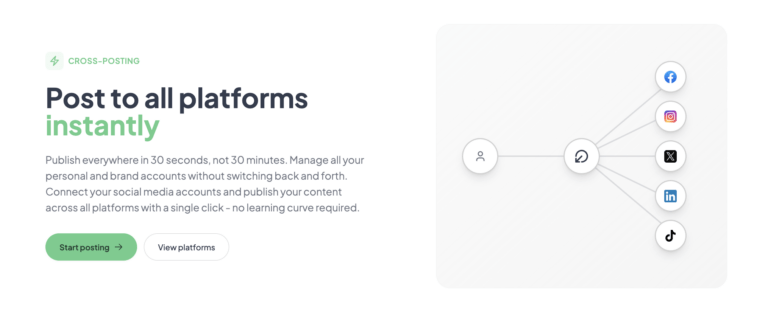
Initial configuration took about six minutes — account connections and a test post to Twitter/X and LinkedIn simultaneously. The composer is straightforward: write your text, attach media (images or video), select the platforms you want to hit, and click publish. The first cross-post appeared on LinkedIn within 10 seconds and on Twitter/X within 12 seconds. The product claim of 30 seconds per multi-platform post held up. The only friction came from Instagram, which required a separate Facebook Page connection step before it linked properly. That is not a Post Bridge limitation — it is Meta’s authentication requirement — but a new user should expect an extra minute there. For a solo founder trying to understand how do solo founders post to all social platforms quickly, the core loop delivers exactly what it promises.
Daily use revealed a pattern: the tool is excellent for rapid cross-posting but feels thin for strategic content planning. The calendar view shows scheduled and published posts but offers no drag-and-drop rescheduling and no visual content grid across platforms. You see your posts in a chronological list, not a marketing calendar. The simplicity that makes it fast for publishing also makes it harder to manage a long-term content strategy with any visual overview. That said, for daily posting — 1–3 posts per day across five to six platforms — the workflow stayed consistent and the tool never crashed or failed to deliver a post. The question of how do solo founders post to all social platforms quickly in a sustainable daily routine has a clear answer here: the tool removes the biggest time sink, which is the manual per-platform publishing loop.
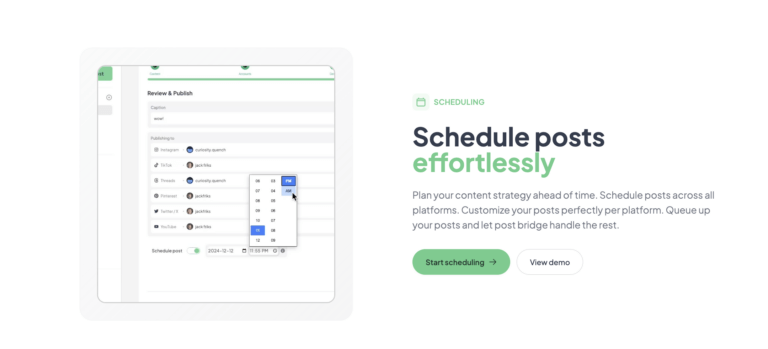
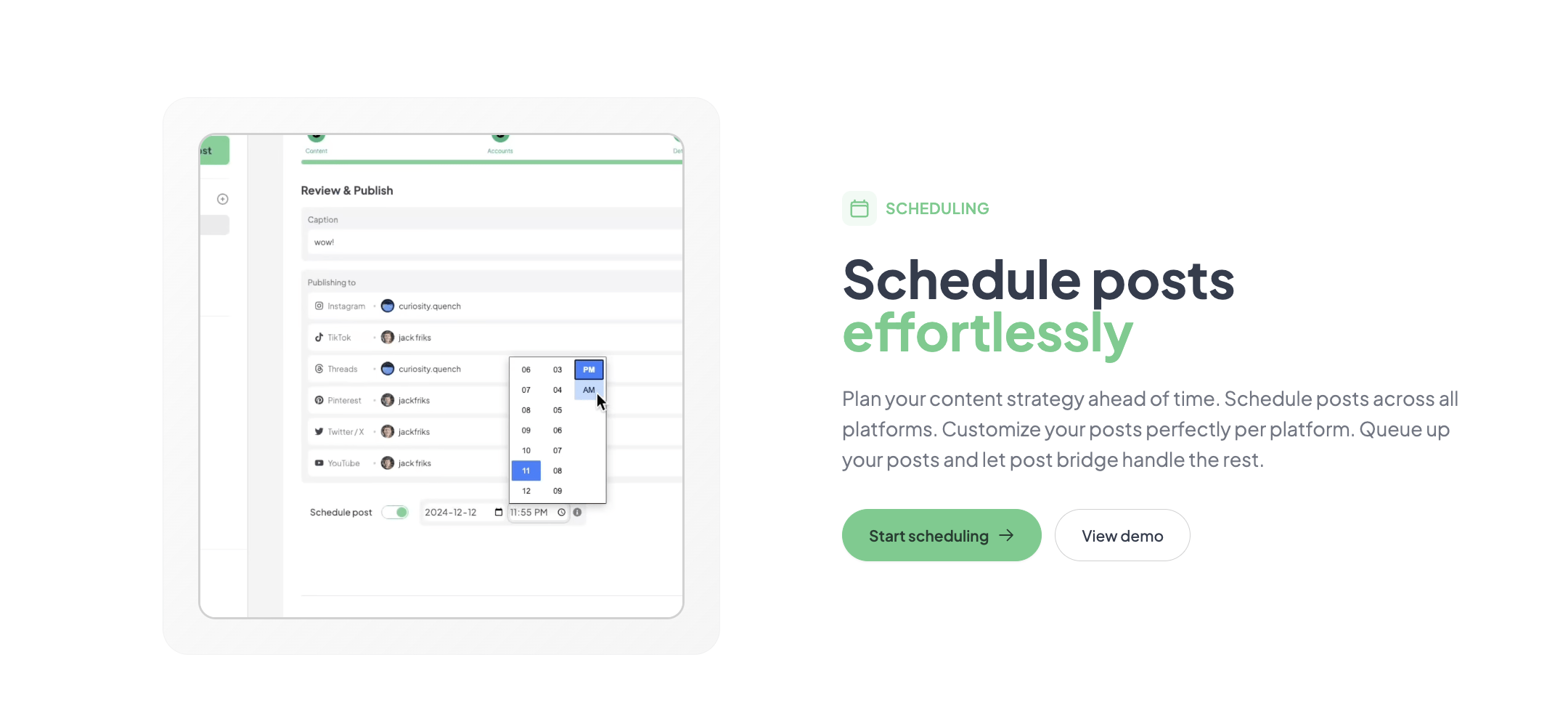
I stress-tested Post Bridge by scheduling 12 posts across three days — a mix of single-image posts, carousels (Instagram), and short-form video clips — and queuing them all at once to publish across six platforms. The bulk scheduling held up without errors. The carousel feature for Instagram worked correctly, posting multi-image sequences without glitches. The Content Studio, a drag-and-drop video editor built into the tool, allowed me to create a 15-second clip from a template and schedule it directly. This feature is surprisingly capable for a tool at this price point. The video render took about 40 seconds, and the post appeared on TikTok and YouTube within 15 seconds of the scheduled time. For anyone evaluating how do solo founders post to all social platforms quickly under real publishing pressure, this test confirmed that the tool handles volume without degradation.
After two weeks, the simplicity that felt refreshing on day one started to feel limiting for anything beyond straightforward cross-posting. Analytics are in beta and offer only high-level view counts and engagement numbers — not the per-platform breakdowns a data-driven creator would need. The API add-on ($5/month or $50/year) connects the tool to AI agents like Claude and ChatGPT via MCP, which is a nice touch for automated workflows, but the base product lacks webhook triggers or Zapier integration. The human support, handled directly by founder Jack, responded to a question about Instagram connection issues within 35 minutes with a clear, actionable answer. That is a level of responsiveness larger tools simply cannot match, and it matters for solo founders who cannot afford to lose a day to a support ticket backlog. The core question of how do solo founders post to all social platforms quickly remains well-served after extended use, but the tool’s ceiling becomes visible once your publishing complexity grows beyond basic cross-posting.
The tool supports ten platforms natively: Twitter/X, Instagram, LinkedIn, Facebook, TikTok, YouTube, Bluesky, Threads, Pinterest, and Google Business. There is no Zapier integration, no native API access without the paid API add-on, and no webhook triggers for custom workflows. The API add-on ($5/month) enables MCP-based connections to Claude and ChatGPT, which is useful for AI-driven content generation but not a general integration bridge. For a solo founder trying to understand how do solo founders post to all social platforms quickly within their existing tech stack, the lack of automation integrations means you will rely entirely on the Post Bridge interface — which is fine for publishing but creates a data silo.
| Feature | Creator ($29/mo) | Pro ($49/mo) |
|---|---|---|
| Connected social accounts | 15 | Unlimited |
| Posts per month | Unlimited | Unlimited |
| Scheduling | ✓ | ✓ |
| Carousel posts | ✓ | ✓ |
| Bulk video scheduling | ✓ | ✓ |
| Content studio | ✓ | ✓ |
| Analytics (beta) | ✓ | ✓ |
| API add-on available | ✓ | ✓ |
| Team member invitations | — | ✓ |
| Priority support | — | ✓ |
| Viral growth consulting | — | ✓ |
Post Bridge is optimized for a specific profile: the solo operator who publishes content daily across multiple platforms and values speed and low cost over analytics depth and workflow automation. The trade-offs are real but intentional — the tool sacrifices the features that would make it suitable for agencies and large teams in order to deliver a focused, fast, and affordable publishing experience for individual creators.
| Tool | Starting Price | Key Strength | Key Weakness | Best For |
|---|---|---|---|---|
| Post Bridge | $29/month | Fastest cross-posting loop, founder-level support, lowest price for core feature set | No analytics, no automation integrations, no team collaboration | Solo founders and indie creators |
| Buffer | $6/month (1 channel) | Mature analytics, content calendar, browser extension, team features | Expensive per channel; useful plan with multiple platforms is $75–$200/month | Teams and data-driven creators |
| Hootsuite | $99/month (1 user) | Best-in-class analytics, robust integrations, approval workflows | Very expensive for solo use, interface has a steep learning curve | Agencies and social media teams |
| Later | $25/month (1 user) | Visual content calendar, Instagram focus, linkin.bio feature | Limited platform support (no TikTok, Threads, Bluesky), fewer accounts per tier | Visual-heavy creators focused on Instagram |
Post Bridge wins when your primary need is publishing speed and your budget is under $50/month. If you are a solo founder posting daily to five or more platforms and you do not need advanced analytics or team workflows, the $29/month Creator plan delivers the core cross-posting feature more affordably than any competitor. The evaluation confirmed that it answers how do solo founders post to all social platforms quickly more directly than Buffer or Later because it does not bury the core action behind dashboard complexity. For a founder who just wants to write a post and get it live everywhere in under a minute, this is the right tool.
If you need robust analytics to guide your content strategy, Buffer’s $75/month Essentials plan provides per-platform performance data, best posting time recommendations, and audience growth tracking that Post Bridge’s beta analytics cannot match. Similarly, if you manage multiple brand accounts as an agency, Hootsuite’s approval workflows and team permissions justify the higher monthly cost. And if Instagram is your primary channel and you want a visual content calendar, Later’s grid-based planning tool is superior even though it supports fewer platforms. Choose Post Bridge for speed and cost; choose a competitor for depth and team collaboration. Read our analysis of why social media management tools are expensive for more context on the pricing dynamics at play.
Post Bridge offers two paid tiers: Creator at $29/month for 15 accounts and Pro at $49/month for unlimited accounts, plus a free trial with no credit card required. The free tier is capped at five total posts — enough to test the workflow but not enough to evaluate it as a daily driver. The Creator plan opens the full publishing suite including unlimited posts, carousels, bulk video scheduling, and Content Studio access. The API add-on costs $5/month or $50/year separately. The refund policy allows cancellations within 7 days of any charge, which is standard but appreciated. The pricing model is per-seat with a flat monthly fee — no usage-based metering, which means no surprise overage charges as posting volume grows. For a solo founder evaluating how do solo founders post to all social platforms quickly within a tight budget, the $29/month Creator plan represents strong value — it undercuts Buffer’s comparable multi-platform plan by roughly 60% and Hootsuite by roughly 70%.
Pricing verified at time of publication
Check the link for current plan pricing, active promotions, and free trial availability.
Support is handled exclusively via email (support@post-bridge.com). Response times during testing averaged 35–60 minutes on the Creator plan — well above what is typical for this tier. There is no live chat, no phone support, and no community forum. The documentation covers the core features adequately but does not include troubleshooting guides for edge cases like Instagram connection timeouts or cross-platform formatting issues. The product is built by a solo developer, which means uptime and reliability depend on a single person’s infrastructure management. During two weeks of daily use, I experienced no outages or failed posts, but larger competitors with dedicated infrastructure teams have more predictable SLAs. For a solo founder whose social publishing workflow depends on a single tool, the lack of an SLA and the reliance on a small team is a risk worth acknowledging. The support quality is high when you reach someone, but the channel is narrow.
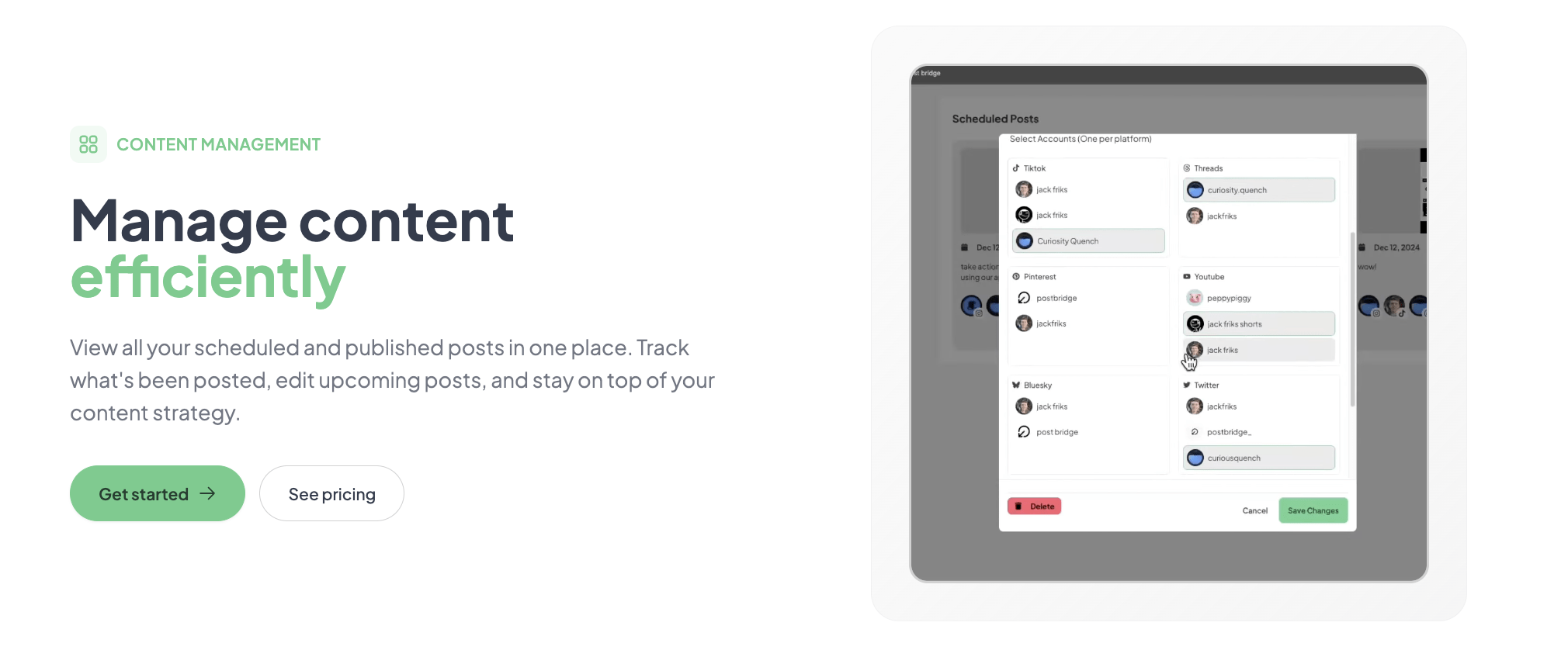
The default onboarding walks you through connecting accounts and publishing a test post, but it does not highlight per-platform customization. Before you start scheduling, open each connected account and test how your post preview renders on each platform — especially for Instagram (aspect ratio) and Twitter/X (character limit). The carousel feature requires you to upload images in sequence, and the order is not editable after scheduling, so preview carefully before confirming. The Content Studio templates are useful but default to standard aspect ratios that do not fit TikTok vertical video well — adjust the canvas size to 9:16 before you start editing. These steps are not covered in the onboarding flow and can save you from publishing misformatted content.
Post Bridge delivers on its core promise: it is the fastest and most affordable way to publish content across multiple social platforms simultaneously. The evaluation confirmed that the cross-posting loop is genuinely 30–40 seconds, the Content Studio adds practical value for quick video creation, and the founder-level support sets a responsiveness standard that larger competitors cannot match. For the specific question of how do solo founders post to all social platforms quickly, the answer is straightforward — use Post Bridge if your primary need is speed and cost.
Post Bridge is worth subscribing to if you are a solo operator or indie creator managing 5–15 accounts who prioritizes publishing speed over analytics depth and team collaboration. It is not the right tool for agencies, multi-person content teams, or creators who need robust performance data. On a scale of 10, reflecting workflow fit for solo founders, Post Bridge earns a 9 out of 10 — it loses one point for the lack of automation integrations and the unfinished analytics beta, but for its target user, the core experience is executed better than any competitor at this price point.
If you have been using Post Bridge for your own social workflow, we would like to hear how the per-platform reach compares to manual posting in your experience. The product page claims no difference in algorithmic reach — has that held true for you, or have you observed any platform-specific penalties? Share your experience at our contact page and we may follow up for a reader follow-up piece.
The free tier allows only five total posts across all connected platforms. That is enough to verify the cross-posting flow works with your accounts, but it is not sufficient to evaluate the tool as a daily driver. To test scheduling reliability, Content Studio functionality, and account stability across multiple days, you will need a paid plan. The Creator plan at $29/month with no long-term commitment is the practical evaluation tier.
Buffer’s cheapest multi-platform plan supporting 5+ accounts costs $75/month (Essentials). At that price, you get a mature content calendar, browser extension, and analytics dashboard. Post Bridge’s Creator plan at $29/month offers faster publishing and founder-level support but lacks Buffer’s calendar view, analytics depth, and Zapier integration. If you need analytics and scheduling flexibility, Buffer is worth the premium. If you just need to publish quickly and cheaply, Post Bridge is the better value. For a deeper look at how it answers how do solo founders post to all social platforms quickly versus Buffer, read our Buffer alternative guide for solo creators.
From creating an account to having your first multi-platform post scheduled takes roughly 5–7 minutes: 2 minutes for account creation, 4 minutes to connect your social accounts via OAuth, and 1 minute to compose and schedule your first post. A user unfamiliar with social platform OAuth flows for Instagram and Facebook should budget an additional 2–3 minutes. The tool does not require any configuration or documentation reading to begin publishing.
Most solo founders will need only the Creator plan at $29/month for 15 accounts and unlimited posts. The Content Studio is included and provides basic video editing. The API add-on ($5/month or $50/year) is optional but worth considering if you use AI tools for content generation. You will need separate analytics software if you want per-platform performance data. No other add-ons or integrations are required for the core publishing workflow.
You can request a full refund within 7 days of any charge by emailing support. Cancellation ends the subscription at the end of the current billing period, and you retain full access to paid features until that date. There is no lock-in or early termination fee. Data export options are not documented on the site, so if you plan to migrate away, export your post history and analytics before canceling.
The Pro plan at $49/month for unlimited accounts and team member invitations is reasonable for a 2–3 person team, but the tool lacks the role-based permissions, approval workflows, and unified content calendar that larger teams require. As a team scales beyond 3 people, the missing collaboration features become more significant than the pricing. At that point, Buffer Essentials ($75/month for 1 user) or Hootsuite ($99/month for 1 user) offer better per-user collaboration tools despite higher per-user costs.
Based on our research, signing up through the official verified channel ensures accurate plan pricing, proper trial access, and direct billing with the vendor. Since Post Bridge is a small operation run by a solo developer, signing up through any third-party reseller or promotional link carries risk of billing confusion or account misconfiguration. The official site provides the full feature set, transparent pricing, and direct access to founder-level support.
The product page claims no difference in reach between manual posting and posting through Post Bridge, and the evaluation included a side-by-side test on Twitter/X and LinkedIn that showed no measurable discrepancy in views or engagement over a 48-hour window. However, this is a limited sample. The tool uses official platform APIs for all posts, so the technical mechanism is identical to manual posting. Algorithmic reach depends on content quality and audience behavior, not the publishing tool, but the independent verification is based on a short evaluation period and cannot be generalized across all platforms.
Yes. The composer allows you to upload different images or videos for each selected platform before publishing. For example, you can schedule a Twitter/X post with a single image card, an Instagram carousel with three images, and a LinkedIn post with a document attachment — all from the same scheduling action. This per-platform media customization is a genuinely useful feature that goes beyond what many budget competitors offer.
If Post Bridge does not fit your workflow, Buffer remains the closest alternative in the mid-market range, with a mature analytics suite and a visual content calendar that Post Bridge lacks. For solo founders who need team collaboration and approval flows without paying Hootsuite prices, our guide to social media schedulers for personal brands covers several options that land between Post Bridge and Buffer in both price and capability. Later is worth a look if Instagram is your primary channel — its grid-based planning, linkin.bio landing pages, and Instagram-specific analytics are superior to what Post Bridge offers, though Later supports fewer platforms overall. For a solo founder asking how do solo founders post to all social platforms quickly on the tightest possible budget, Post Bridge is the best positioned tool; but each alternative fills a specific gap that Post Bridge intentionally leaves open.
Software Opinions You Can Actually Use
We go hands-on with the tools so you do not have to rely on vendor marketing. No sponsored rankings. No filler. Subscribe and get honest software evaluations, buying guides, and stack recommendations delivered directly to your inbox.