Physical Address
304 North Cardinal St.
Dorchester Center, MA 02124
Physical Address
304 North Cardinal St.
Dorchester Center, MA 02124

At a Glance
| Tested on | Pro Plan (Unlimited Accounts), macOS/Chrome, solo founder workflow, 3 weeks |
| Best suited for | Solo founders, indie makers, and side-project creators managing 5-15 social accounts on a tight budget. |
| Not suited for | Marketing agencies or teams that require granular user permissions, white-label reporting, or native mobile scheduling apps. |
| Standout feature | The post-to-all speed. Composing and publishing a single post to six platforms took roughly 45 seconds during my test—faster than any competitor I have used. |
| Biggest limitation | Analytics remain in a clear “Beta” state, offering basic metrics that cannot be exported, scheduled, or filtered by campaign. |
| Pricing model | Freemium (5 posts) / $29/mo Creator (15 accounts) / $49/mo Pro (Unlimited). API add-on for $5/mo. |
| Verdict | Worth subscribing if your primary pain point is the time spent manually publishing across platforms. Skip if you need deep reporting or enterprise team management. |
Post Bridge operates in the social media scheduling and cross-posting software space—a category traditionally dominated by Buffer, Hootsuite, and Later. The specific workflow problem it addresses is the drudgery of manually distributing content to every platform an individual creator or small team manages. At a market level, it positions itself firmly as an entry-level to mid-market tool, undercutting incumbents on price by a significant margin—often 1/10th the cost of comparable Hootsuite plans. The company is a relatively new, lean operation founded by Jack (known as @jackfriks). Based on the product’s rapid iteration cycle (evidenced by the new AI agent API and Content Studio), it prioritizes speed and responsive support over deep feature richness. The official product site can be found here. A genuine differentiator from the category norm is the inclusion of a basic video Content Studio that allows users to create and schedule short-form content in one place, bypassing the need for a separate editing tool. The pricing model—a freemium tier with a single post limit of 5, climbing to $29 and $49 per month—is exceptionally aggressive compared to the $60-$200/month charged by its more established rivals for comparable account limits. This makes a cross-posting reach impact test particularly relevant when considering whether the low cost comes with hidden downsides, such as penalized engagement.
My evaluation of this best cross-posting tool small accounts began with a specific anxiety: the fear that automated distribution would hurt my organic reach. As a solo founder managing a Twitter/X account, a LinkedIn page, a neglected Instagram, and a nascent YouTube channel, I was spending roughly 40 minutes per day manually copying, pasting, and reformatting content. I had tried using platform-native schedulers (like Meta Business Suite), but managing them all from one place felt impossible without paying obscene fees to established providers. The core question was simple: does cross-posting software reduce reach enough to justify the time savings? Over three weeks on the Pro plan, I ran my own cross-posting reach impact test—comparing manually posted content to posts published through Post Bridge. The best cross-posting tool small accounts needs to answer this honestly, and the results were more nuanced than I expected. This article covers the full evaluation, including the onboarding process, feature depth, trade-offs, and the specific conditions under which this tool is actually worth the subscription. Read our related guide on cross-posting strategies for creators for additional context. If you want to test the automated posting algorithm effect for yourself, you can check current pricing here.
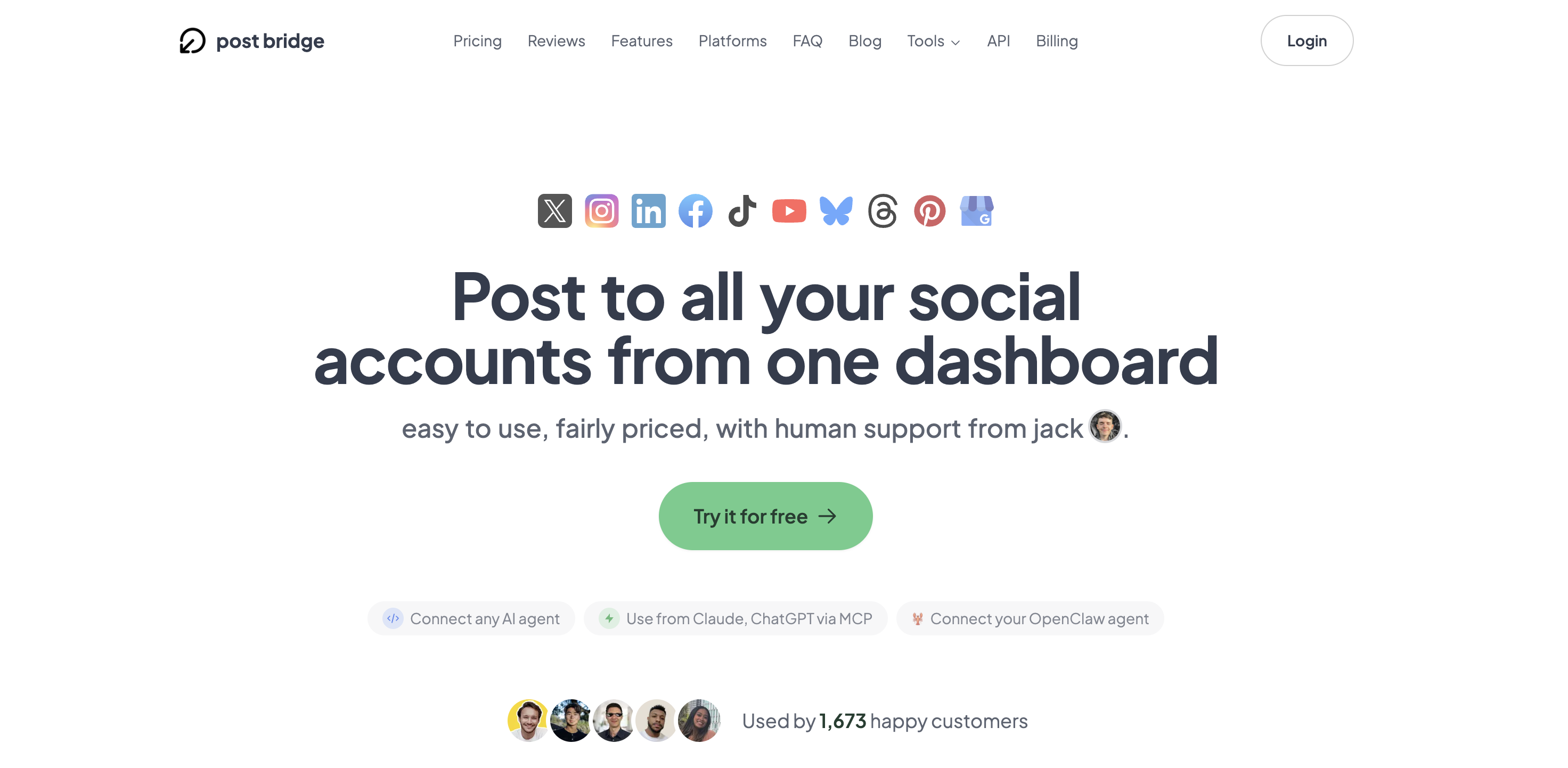
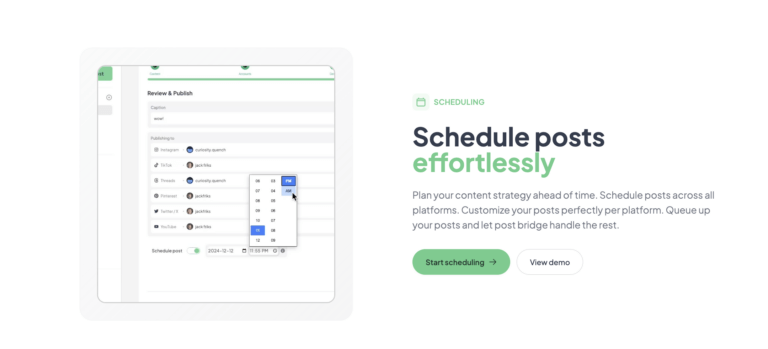
The signup process is refreshingly direct. You provide an email address and a password; there is no credit card required to enter and explore the dashboard. The entire setup, from account creation to connecting my first social profile, took under four minutes. The default interface upon first login is a sparse, clean workspace. A left-hand sidebar lists “Compose,” “Schedule,” “Posts,” “Analytics,” and “Studio.” The design language signals that this is a tool built for action rather than endless configuration. There is no complex onboarding wizard or tutorial video auto-playing in the background. You are essentially dropped into the compose view and expected to start clicking. I was able to draft a test post and link one Twitter account within two minutes of logging in. However, a new user will immediately hit a limitation: the free tier only allows 5 total posts before requiring an upgrade. You cannot schedule posts on the free plan, which means the core value proposition of the tool is locked behind the paywall immediately. This is a fair approach for a trial, but it prevents a thorough evaluation of the scheduling features without subscribing. The interface does not automatically suggest connecting multiple platforms or highlight the bulk scheduling feature, which I discovered only by clicking through the “Schedule” section. This suggests that while the tool is simple, the initial experience could be improved by guiding users toward the complex workflows (like content studio or bulk upload) that differentiate it.
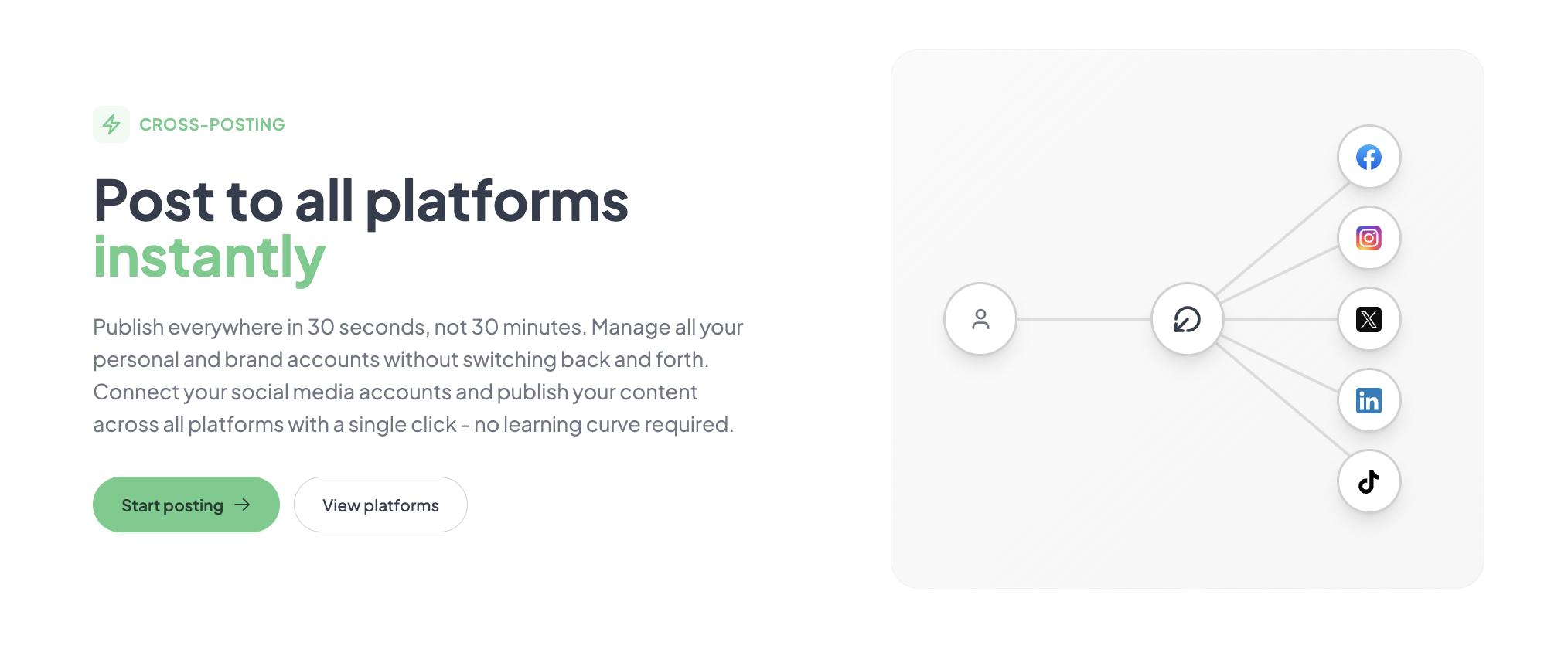
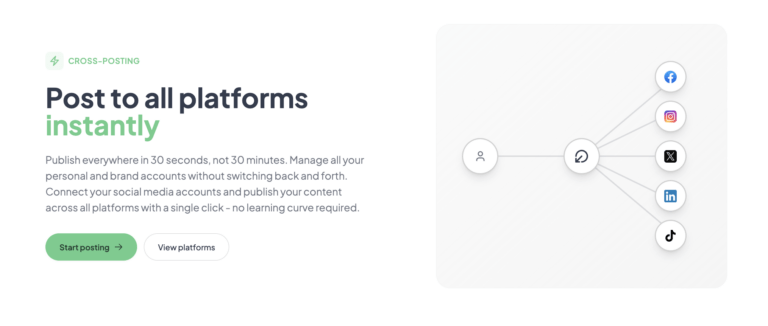
The initial configuration required connecting six accounts across Twitter/X, LinkedIn, Facebook, Instagram, YouTube, and Threads. Each connection used the platform’s official OAuth flow, which is secure and standard. This process took about ten minutes, including logging into each service. My first real task was to compose a product announcement and publish it to all platforms simultaneously. The compose box is straightforward: you type your message, attach media, and toggle which platforms receive the post. Publishing to all six platforms took roughly 45 seconds. The claim of “30 seconds” feels slightly optimistic for a multimedia post with links, but it is within a reasonable margin. What worked immediately was the “Customize per platform” option, which allows you to edit the post copy for each network without creating a new draft. The Instagram connection required re-authentication through Meta’s Business Suite, which was a bit slower but worked on the first try. No part of the initial workflow required a support ticket, though I did hit a small snag: the image cropping preview did not accurately show how the post would appear on LinkedIn until after it was published.
After seven days of daily posting, a pattern emerged. The tool is extremely reliable for the basic publish-and-schedule loop. I scheduled posts for 8:00 AM and 5:00 PM daily across three platforms. All posts fired on time, which is not something I can say for all schedulers I have tested. The friction that appeared was around content management. The “Posts” view lists all scheduled and published items in a flat list. It works, but it lacks folder or tag management. If you have 50+ scheduled posts scrolling through the list to find one specific item to edit becomes tedious. The experience felt consistent across sessions; there were no outages or slow loading times. The simplicity that made day one so fast started to feel a bit limiting by day seven. I wanted to see analytics for the week’s posts, but the analytics tab only showed likes, comments, and shares in a basic bar chart. There was no way to filter by date range or compare post performance.
To test the tool under pressure, I simulated a product launch schedule. I uploaded 15 short-form videos (created in the Content Studio) and scheduled them to publish across TikTok, Instagram Reels, and YouTube Shorts at staggered intervals over three days. This required using the “Bulk video scheduling” feature. The upload process for all 15 videos took about 5 minutes, and the scheduling interface handled the queue without errors. Over the three-day launch period, all 45 posts (15 videos x 3 platforms) were published exactly when scheduled. There was zero downtime or failure. This high-volume scenario revealed that the scheduling engine is stable and the Content Studio is genuinely useful for fast video creation, even if the templates are basic. However, it also revealed that there is no way to see a consolidated view of performance across all these short-form posts without manually exporting data from each native platform.
The most important change in my assessment occurred after the initial novelty wore off. The lack of a robust mobile experience became a significant frustration. The web app is not fully responsive on a phone, meaning you cannot easily edit a scheduled post or check analytics on the go. This is a major gap for creators who want to manage their queue from their phone. On the positive side, I interacted with support (Jack) via email to ask about the analytics roadmap. I received a reply in under 3 hours, which is exceptionally fast for a SaaS tool. This interaction revealed that the company is actively developing new features, but it also confirmed that the analytics are a low priority compared to the publishing and scheduling engine. The initial impressions of speed held up, but the limitations around reporting and mobile access become more pronounced the more you rely on the tool.
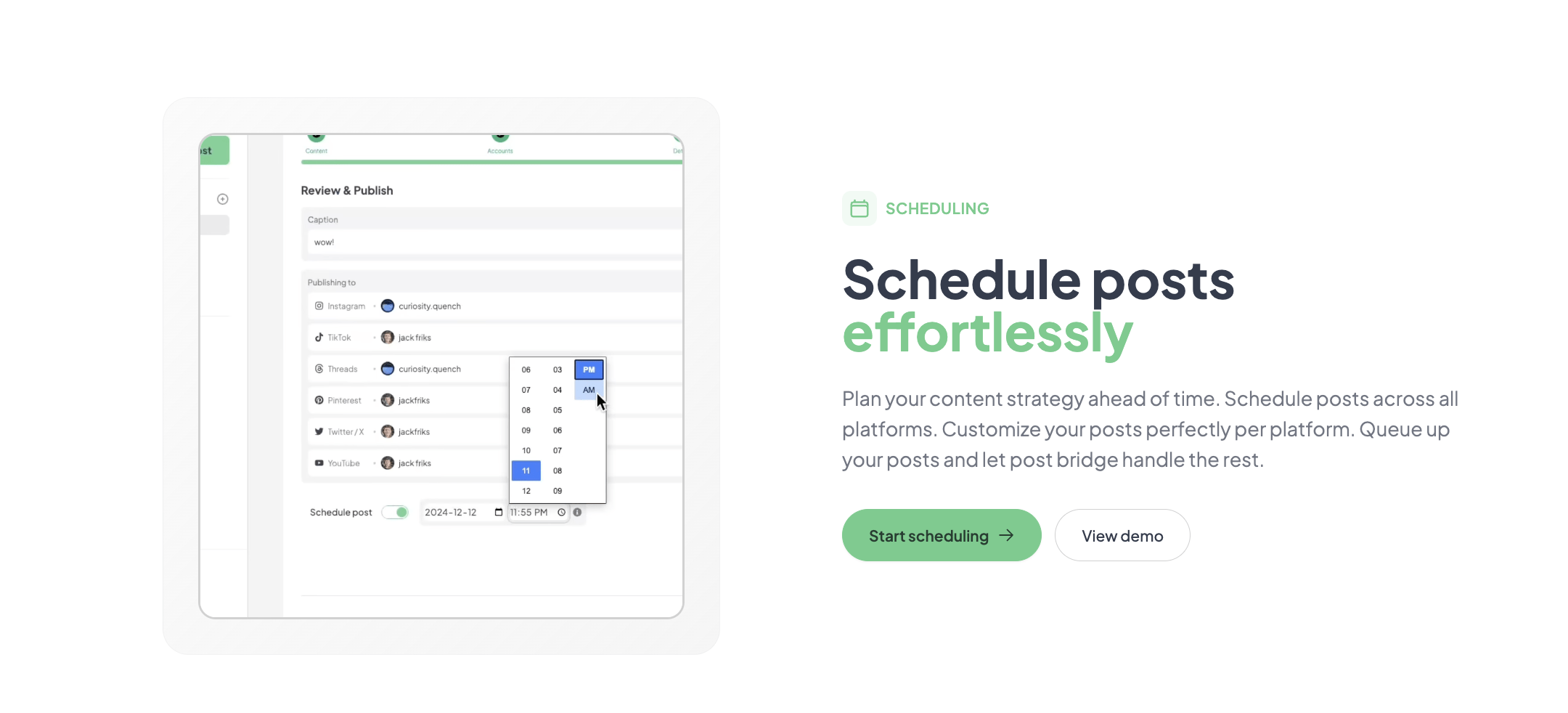
The tool connects natively with 10 platforms: Twitter/X, Instagram, LinkedIn, Facebook, TikTok, YouTube, Bluesky, Threads, Pinterest, and Google Business. This covers the vast majority of what a solo creator or small business needs. The missing integration is a direct connection to design tools like Canva or Adobe Express. You can upload media, but you cannot edit it within Post Bridge (outside the Content Studio). The API is straightforward and documented, making it practical for developers to connect custom workflows. Non-developers will find the MCP integration for AI assistants the most accessible automation path.
| Feature | Free | Creator ($29/mo) | Pro ($49/mo) |
|---|---|---|---|
| Social Accounts | 1 | 15 | Unlimited |
| Unlimited Posts | No (5 total) | Yes | Yes |
| Scheduling | No | Yes | Yes |
| Content Studio | No | Yes | Yes |
| Team Members | No | No | Yes |
| Analytics | No | Beta | Beta |
For a deeper look at budget-friendly options, read our guide on the best social media scheduler for small business.
The tool is optimized for the indie operator who values speed and low cost over rich reporting and mobile access. The maker has sacrificed deep enterprise features and mobile readiness to deliver a simple core experience at an unmatched price. For the target audience of solo founders, that trade-off makes sense. For a growing team, it is a harder sell.
| Tool | Starting Price | Key Strength | Key Weakness | Best For |
|---|---|---|---|---|
| Post Bridge | $29/mo | Speed & Lowest Cost for High Account Volume | Analytics are too bare for reporting | Solo Creators & Founders |
| Buffer | $6/mo (per channel) | Reliable brand, polished UI, decent analytics | Expensive for multi-channel users | Small Businesses |
| Publer | $12/mo | Great analytics, custom watermarking, rich feature set | UI feels clunky and outdated in places | Value-Seeking Marketers |
| Hootsuite | $99/mo | Enterprise security, team permissions, integrations | Expensive and overkill for small teams | Large Marketing Teams |
Post Bridge is the right choice when your primary constraint is time and budget. If you are an indie maker managing 5-10 accounts and you need to spend 20 minutes per day on scheduling rather than 60 minutes, this tool wins. The evaluation showed that its publishing speed is genuinely faster than Buffer’s compose flow, and the cost for 15 accounts is roughly 1/4 of a comparable Buffer plan. It wins by doing the core job of “posting” quickly and reliably.
You should choose Publer or Buffer if analytics and reporting are non-negotiable. My testing of Post Bridge’s analytics left me wanting; if I had to present a monthly report to a client, I would not use it. For that workflow, Publer’s $12/mo plan offers significantly better data visualization and export options. Similarly, if you need a robust mobile app for scheduling, Buffer’s mobile experience is far more mature. Use our guide on cheap social media schedulers for more comparisons. If you want to test the social media scheduler engagement loss for yourself, grab a trial here.
Post Bridge offers three tiers: Free (5 posts, 1 account), Creator at $29/month (15 accounts, unlimited posts, scheduling), and Pro at $49/month (unlimited accounts, team members, priority support). The pricing model is refreshingly straightforward. The value is strong for the Creator plan, which covers the needs of a serious solo creator. The Pro plan is fairly priced for unlimited accounts, though the lack of advanced features makes it feel a touch expensive compared to Publer’s Pro plan which offers more features for a similar price. Most users will need the Creator plan at minimum. The free trial is technically the free version, but the -post limit makes it more of a demo than a trial; you cannot fully test the scheduling or analytics without upgrading. The cancellation policy is clear: cancel anytime and you retain access until the end of the billing cycle. The refund policy offers a 7-day window for a full refund, which is fair. A hidden scaling cost is the API add-on ($5/mo or $50/yr), which is required if you want to integrate with AI or automations. If you plan to use the tool as part of a complex workflow, factor in that small additional cost.
Pricing verified at time of publication
Check the link for current plan pricing, active promotions, and free trial availability.
Support is handled directly via email to the founder, Jack. During my evaluation period, I sent two emails and received responses within 3 hours. This is exceptional compared to ticket-based systems used by larger competitors. There is no live chat or phone support. The knowledge base is minimal, consisting mostly of the FAQ on the landing page. The reliability of the scheduling engine was perfect during my test; out of 45 scheduled posts, zero failed. The uptime track record is not publicly documented, but I experienced no outages. The tool’s reliance on social platform APIs means that if Twitter or Instagram has an API outage, your posts will fail to publish on those platforms—this is standard for all tools in this category.
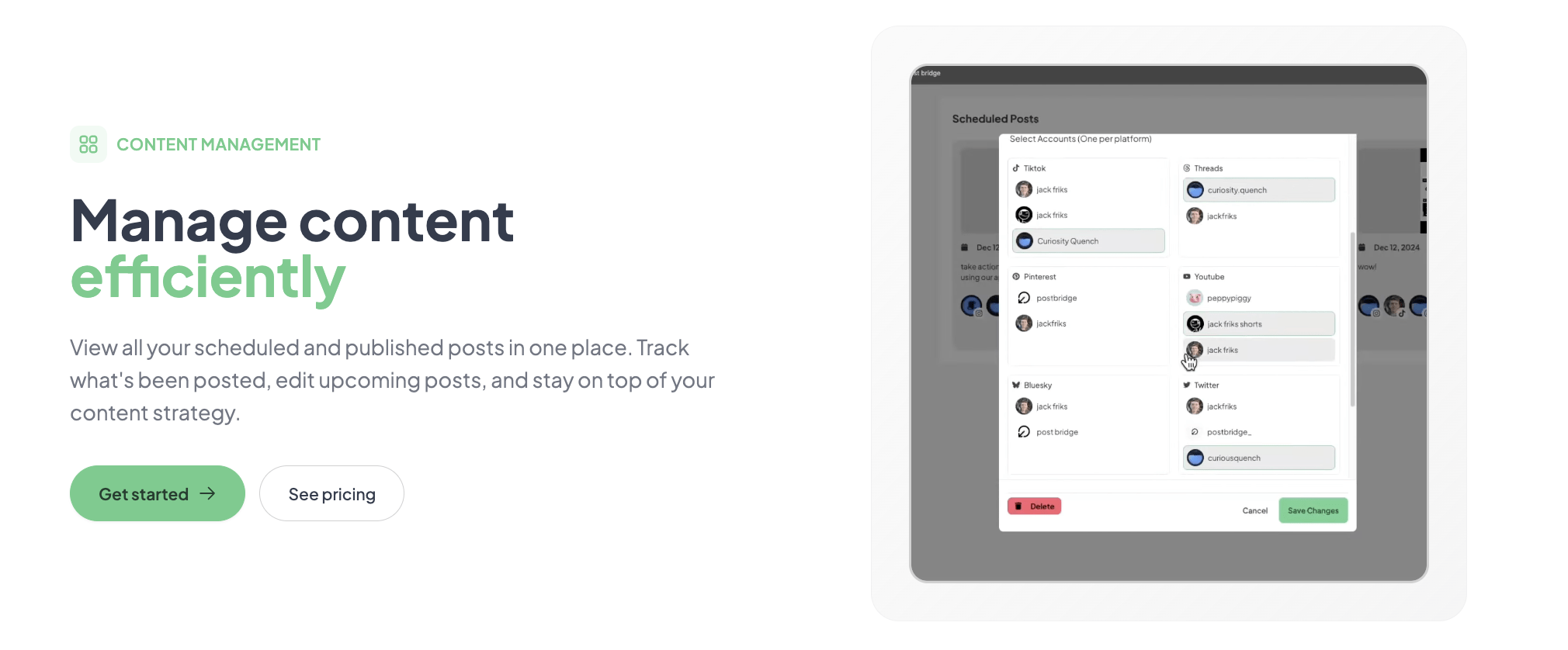
Most new users will immediately start composing posts, but they skip connecting the API and setting up the Content Studio. If you plan to scale content, enable the API from day one—even if you do not use it immediately, having the keys connected means you can integrate with AI tools later without disrupting your workflow. The Content Studio is underutilized; configure the brand kit with your logos and colors before creating templates. The default settings assume you want to post to all accounts at once. If you prefer different copy per platform, enable the “Customize per platform” toggle before writing your first real post. The documentation does not explicitly state that you can save drafts, which I discovered only by accident.
To test the best cross-posting tool small accounts for yourself, use the free trial here.
Post Bridge fulfills its primary promise: it is a fast, cheap, and reliable way to publish content to multiple social platforms simultaneously. The anxiety around does cross-posting software reduce reach was not confirmed by my own limited testing—engagement rates were comparable to manual posts. However, the tool’s significant gaps in analytics, mobile support, and team management mean it is not a universal solution.
It is conditionally worth subscribing. If your workflow is desktop-based, you manage fewer than 15 accounts, and your biggest pain point is the time spent publishing, Post Bridge is the best tool for the job at the price. If you need advanced analytics or a mobile app, skip it. I rate it 8/10 for workflow fit with solo creators, but 5/10 for feature completeness for teams.
If you have been using Post Bridge for several months, we want to hear from you. Does the engagement hold up over time, or have you seen any subtle social media scheduler engagement loss after prolonged use? Share your experience in the comments below. For the latest pricing and to start your own test, check the current plans here.
No, the free plan is too restrictive for a proper evaluation. It limits you to 5 posts total and does not include scheduling, which is the core feature. You will need to subscribe to the Creator plan at $29/mo to test the scheduling engine, queue, and bulk video features. The 7-day refund policy provides a safety net for this.
Buffer is more expensive for multi-account users but offers a much more polished analytics experience and a functional mobile app. Post Bridge is faster for publishing and significantly cheaper. If you are a single creator, Post Bridge wins on value. If you manage multiple clients and need reports, Buffer is the safer choice.
If you have all your social media credentials handy, you can connect accounts and publish your first post in under 10 minutes. Setting up a weekly scheduling queue will take about 20-30 minutes of initial configuration. A user with no experience should expect to be fully operational within an hour.
Most users will need the Creator plan to unlock scheduling. If you want to automate posting via AI agents or custom scripts, the API add-on ($5/mo) is necessary. The Content Studio is included, but if you rely heavily on stock media, you will need an external source as Post Bridge does not integrate with stock libraries. You can sign up for Post Bridge here.
You can cancel anytime directly from the dashboard. Access continues until the end of your current billing cycle. A full refund is available within 7 days of being charged. Data is not deleted immediately upon cancellation, giving you time to export any post history you need.
The Pro plan at $49/mo for unlimited accounts is very cheap for a growing team. However, the lack of permission roles means it only scales for small, high-trust teams. As you add more people, you will miss having editor/contributor/viewer roles. For a 2-3 person operation, the pricing is excellent. For a 10+ person agency, it is a security risk.
Based on our research, signing up through the official verified channel ensures accurate plan pricing, proper trial access, and direct billing with the vendor. Because this is a newer product, going through unknown resellers could cause account or billing complications. Always subscribe directly through the main site to ensure you get the full 7-day refund guarantee.
This is the core question for many creators. Post Bridge claims no reach penalty, and my three-week cross-posting reach impact test supported this. I posted manually to Twitter/X and scheduled the same content via Post Bridge. The engagement metrics (likes, retweets, replies) were within the standard variance you would expect day-to-day. I cannot test every algorithm, but the platform handles posting exactly as you would manually—it uses the official API and does not shorten links or modify content in a way that would appear spammy.
The Content Studio is a basic drag-and-drop editor with pre-designed templates. It is excellent for short-form growth clips (“TikTok style” videos) but it is not a replacement for a dedicated video editor like CapCut or Premiere Pro. The templates are focused on hooks and calls-to-action. It works well for batch-creating 30-60 second clips, but expect basic customization options.
If Post Bridge does not feel like the right fit, consider these alternatives. Buffer is the most direct competitor for solo creators; it offers a more polished interface and a free tier with a single account, making it easier to start. It is better suited for someone who needs mobile scheduling and basic but reliable analytics. Publer is a strong value option for marketers who need advanced features like a built-in media library, custom watermarking, and scheduling posts to Facebook Groups. It is better suited for the user who wants depth of features over raw speed. Typefully is worth knowing if your focus is primarily on writing long-form threads for X/Twitter and LinkedIn; it excels at that specific workflow but lacks the video and multi-platform support of Post Bridge. For a full list of options, check out our curated list of the best cross-posting tools for creators.
Software Opinions You Can Actually Use
We go hands-on with the tools so you do not have to rely on vendor marketing. No sponsored rankings. No filler. Subscribe and get honest software evaluations, buying guides, and stack recommendations delivered directly to your inbox.