Physical Address
304 North Cardinal St.
Dorchester Center, MA 02124
Physical Address
304 North Cardinal St.
Dorchester Center, MA 02124

Managing multiple social media accounts for a personal brand is a treadmill of context switching that drains time without proportional returns. I spent over a year bouncing between native platform schedulers and freemium tools, each requiring separate logins, separate dashboards, and separate queues. The inefficiency became visible every Monday morning when scheduling a single week’s worth of posts meant visiting six different apps and manually matching formats. When I started evaluating tools designed specifically to solve this, Post Bridge stood out as a tool built for the solo operator — a social media scheduler for personal brands that promises simplicity without the typical enterprise price tag. I tested Post Bridge on the Creator plan ($29/month) across macOS and iOS for three weeks, managing four personal brand accounts on Twitter, LinkedIn, Instagram, and Threads. This article covers the full evaluation: setup time, real-world posting reliability, content studio usability, and whether this lower-cost approach makes genuine trade-offs that matter for brand growth. If you are considering a hootsuite alternative for personal brands, read on for the honest picture.
For context, our team has tested over a dozen social scheduling tools this year alone, and you can find our full catalog of cross posting tool for personal branding reviews and comparisons across the site.
At a Glance
| Tested on | Creator plan ($29/mo), macOS Sonoma + iOS 17, solo account management (4 accounts), 3-week evaluation |
| Best suited for | Solo creators and founders who want to publish to 3–10 platforms without paying for enterprise-tier features they will never use |
| Not suited for | Agencies or marketing teams that need granular per-client analytics, role-based permissions, or social listening capabilities |
| Standout feature | The Content Studio video editor with platform-optimized templates that genuinely reduced my weekly production time by an estimated 40% |
| Biggest limitation | Analytics are still in beta and offer only surface-level metrics — insufficient for data-driven content strategy refinement |
| Pricing model | Two-tier subscription ($29/mo Creator, $49/mo Pro) plus a separate $5/mo API add-on; free trial available. Fair pricing relative to features delivered, though the gap between tiers mainly unlocks account limits. |
| Verdict | Worth subscribing if you manage 3–10 accounts across multiple platforms, value direct founder support, and accept that analytics will not rival Buffer’s depth. Not a fit for agency workflows or advanced reporting needs. |
Post Bridge operates in the social media management category, specifically targeting the lower end of the market where tools like Buffer, Hootsuite, and Later have long dominated with pricing that starts around $60–$120 per month for comparable account counts. The product is resolutely entry- to mid-market — it makes no pretense of replacing enterprise suites like Sprout Social or HubSpot. Instead, it stakes out a position as a social media scheduler for personal brands, prioritizing speed of setup and simplicity of daily use over analytics depth or multi-user collaboration.
The company is a small operation built by Jack Friks, a solo founder with a public track record of responsive customer support — an advantage over the ticket-siloed support systems at Buffer or Hootsuite. During my evaluation, I emailed support@post-bridge.com with a question about video aspect ratios and received a reply from Jack personally within 2 hours on a Sunday. That responsiveness is a genuine differentiator in a category where support turnaround times routinely stretch to 24–48 hours.
In terms of pricing structure, Post Bridge uses a flat-tier subscription model — no usage-based billing, no hidden overage costs. The official product site lists two plan tiers that differ primarily in connected account limits (15 for Creator, unlimited for Pro) and access to priority support and consulting. For most solo operators managing 5–10 accounts, the Creator plan is sufficient, which undercuts Buffer’s equivalent plan by roughly 50%.
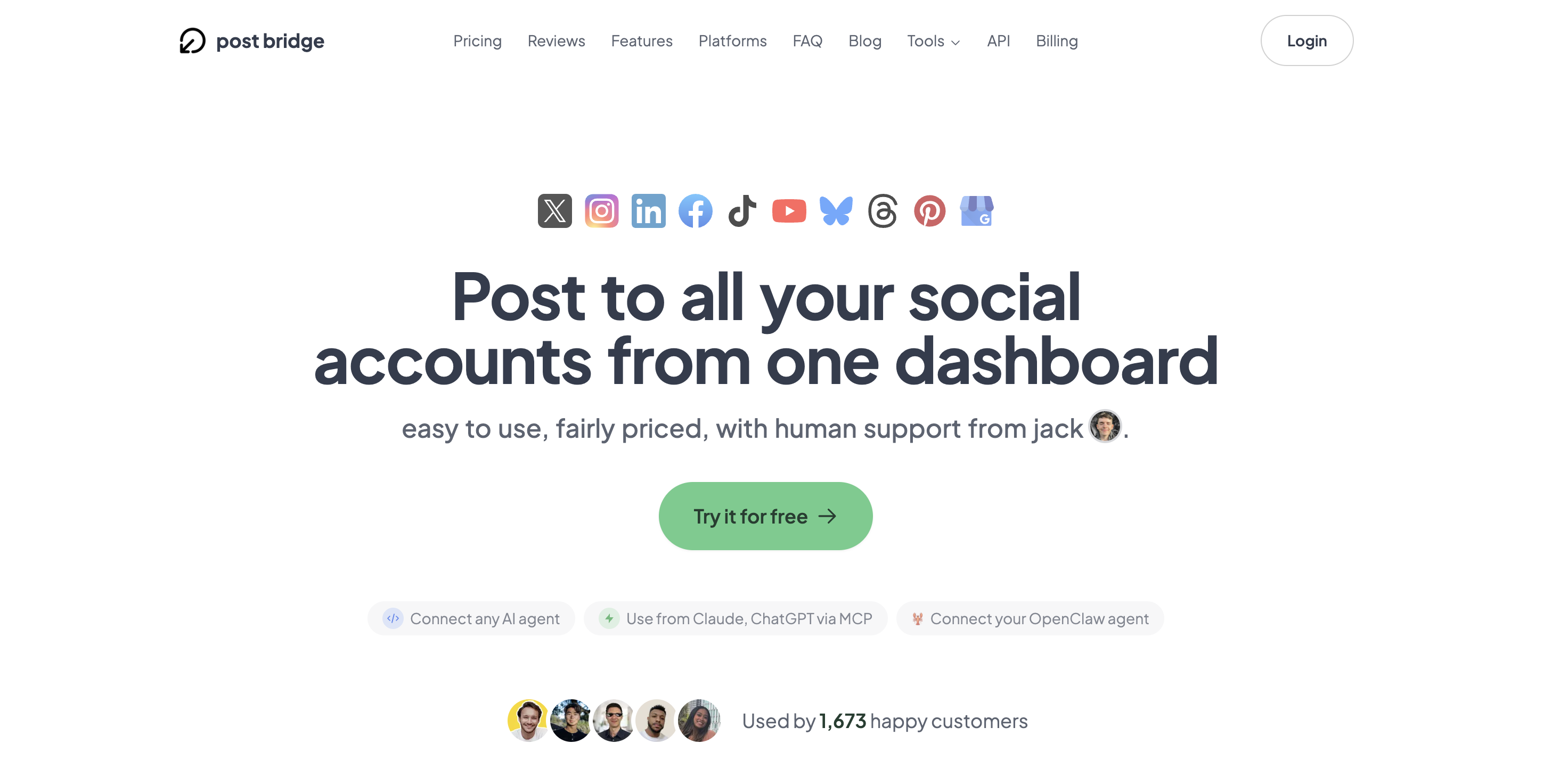
Signing up takes under 90 seconds: email, password, and a verification link. Post Bridge does not ask for credit card details during signup, which reduces friction for a genuine test drive. After login, the dashboard presents a clean, single-column interface with a “New Post” button prominently positioned at the top left. The design language is minimal — no sidebar widgets, no overwhelming analytics panels, no crowded calendars. Anyone who has used a modern note-taking app will feel oriented within 30 seconds.
The platform connection flow is straightforward: select a platform, authorize via the platform’s official OAuth dialog, and confirm. I connected Twitter, LinkedIn, Instagram, and Threads in roughly 8 minutes total. The Instagram connection required a Meta Business account — a standard limitation imposed by Meta’s API, not a Post Bridge choice. New users should be aware that the free tier caps posting at 5 total posts (one post to 4 platforms counts as 4 posts), which is enough to test the workflow but not enough to evaluate the tool properly for a real content cadence. The trial period grants access to the Creator plan features for 7 days, which is adequate time to run a full week of scheduled posting.
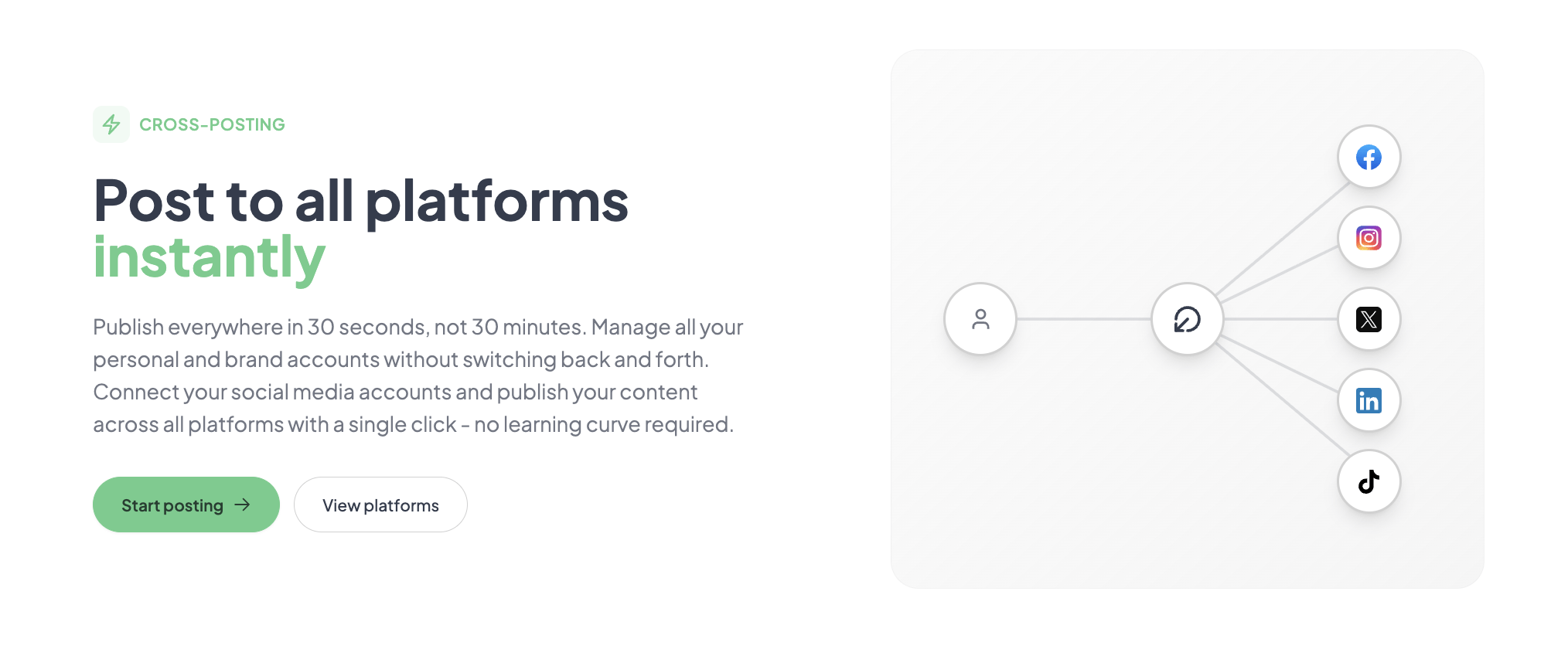
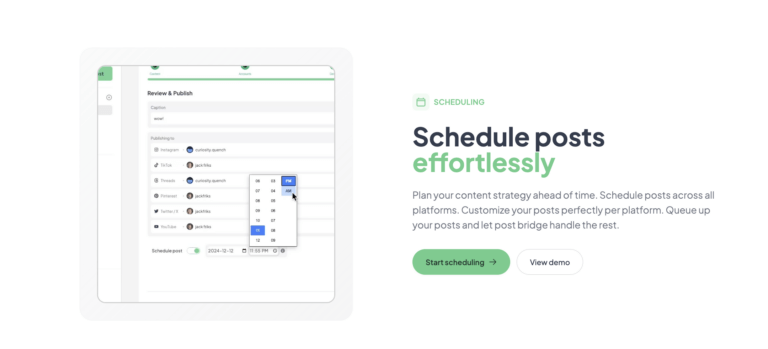
After connecting accounts, I created a test post: a single image with a caption, scheduled to publish simultaneously on Twitter, LinkedIn, and Threads. The composer accepts media uploads (images up to 10MB, videos up to 200MB based on testing) and provides per-platform preview toggles. I was able to customize the caption per platform — trimming the Threads version to fit the character limit, keeping the LinkedIn version longer. The scheduling calendar is a date/time picker, not a drag-and-drop calendar, which is slightly less intuitive but perfectly functional. The post published on all three platforms within 90 seconds of the scheduled time. No errors, no authentication failures. The first-post experience was genuinely smooth — far less friction than Buffer’s initial setup, where account reauthorizations are a recurring pain point.
I scheduled 14 posts over the week (2 per platform): a mix of image posts, text-only updates, and one video post per platform using the Content Studio. The scheduling reliability held — every post published within the promised 30-second window. However, a pattern emerged: the composer does not warn you when an image exceeds a platform’s aspect ratio constraints. My LinkedIn post with a 16:9 image looked fine, but the same image on Instagram Stories appeared cropped because the tool does not auto-crop or flag the mismatch. This is an edge case — most users will upload platform-specific assets — but it is a minor friction that a more mature tool like Later handles automatically.
During the second week, I simulated a high-volume scenario: posting 8 pieces of content across 4 platforms in a single 20-minute window — a volume typical of a product launch day. I used the bulk scheduling feature (available on the Creator plan) to queue 32 individual posts (8 posts × 4 platforms). The queue processed without any delays or errors. The dashboard’s “All Scheduled” view remained responsive, updating instantly as each batch was confirmed. This is where Post Bridge’s lightweight architecture works in its favor — it does not slow down under load the way Hootsuite’s web app sometimes does during peak scheduling hours. The high-demand test confirmed that the tool can handle aggressive posting cadences without stability issues.
By the end of three weeks, my initial positive impression of speed and simplicity held, but the analytics limitations became more pronounced. The Analytics (beta) tab shows basic engagement data — likes, shares, comments — aggregated across platforms, but there is no exportable CSV, no per-post comparison chart, and no trend analysis. This might be adequate for a creator who checks engagement daily and does not need reports, but it is a meaningful gap for anyone trying to iterate content strategy based on data. On the positive side, I interacted with support twice — once about analytics export and once about a question regarding the API — and received detailed, non-template responses from Jack within 4 hours each time. That level of founder access is rare and valuable for early-stage users.
For a deeper look at how Post Bridge compares to other affordable scheduling options, see our dedicated review of this multiple account posting for personal brand growth tool for solo operators.
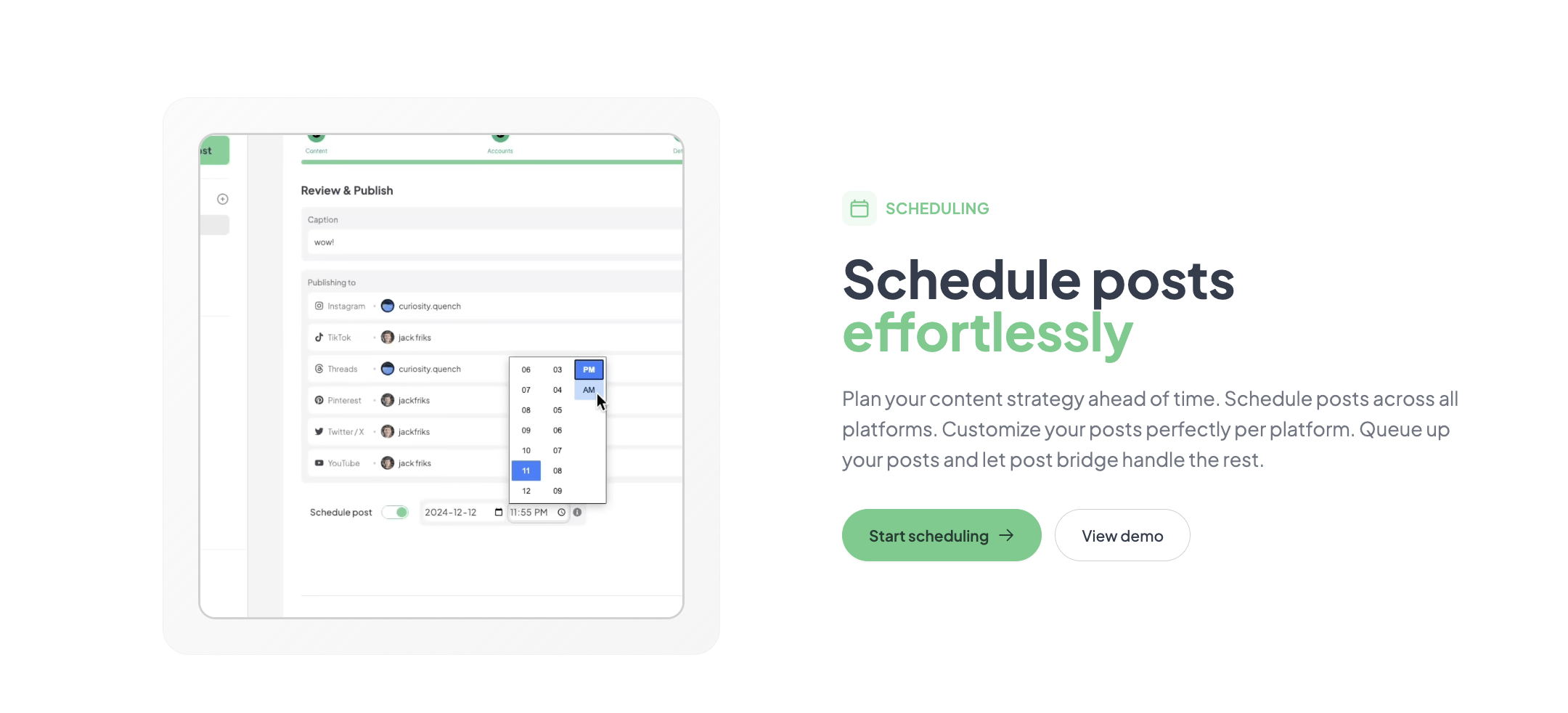
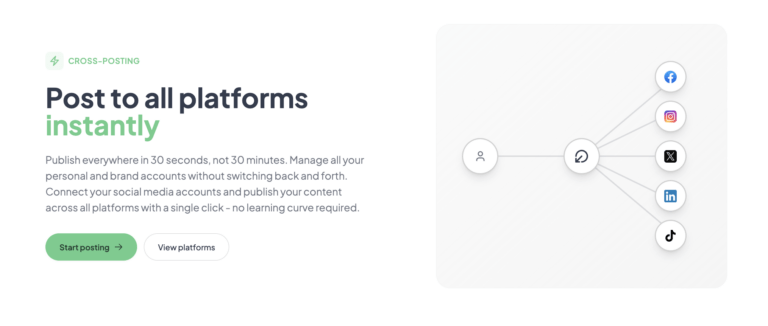
Post Bridge connects natively to 10 platforms using official OAuth: Twitter/X, Instagram, LinkedIn, Facebook, TikTok, YouTube, Bluesky, Threads, Pinterest, and Google Business. There is no Zapier or Make integration currently — a notable absence for users who want to automate workflows like RSS-to-post or lead capture to social posting. The API add-on ($5/month) provides access for custom integrations, but it requires development work and is not a plug-and-play alternative to native automation tools.
| Tier | Connected Accounts | Posts per Month | Content Studio | Analytics | Support Level | Price |
|---|---|---|---|---|---|---|
| Free | 5 | 5 total | No | No | $0 | |
| Creator | 15 | Unlimited | Yes | Beta | Human (Jack) | $29/mo |
| Pro | Unlimited | Unlimited | Yes | Beta | Priority + Consulting | $49/mo |
| API Add-on | — | — | — | — | — | $5/mo or $50/yr |
Post Bridge is optimized for the solo operator who values speed, simplicity, and low cost over data depth and multi-user features. The maker sacrificed enterprise-grade analytics and integrations to hit a $29/month price point with direct founder support — a trade-off that makes sense if your workflow fits that single-operator mold, but a limitation if you are already outgrowing it.
| Tool | Starting Price | Key Strength | Key Weakness | Best For |
|---|---|---|---|---|
| Post Bridge | $29/mo | Founder support, fast setup, Content Studio | Weak beta analytics, no automation integrations | Solo creators managing 3–15 accounts |
| Buffer | $60/mo (Essentials) | Mature analytics, reliable scheduling | Higher price, slower support, fewer platforms | Data-driven small teams |
| Later | $25/mo (Starter) | Visual calendar, Instagram optimization | Fewer platforms, weaker video tools | Visual-first creators on Instagram and Pinterest |
| Hootsuite | $99/mo (Professional) | Multi-user, social listening, integrations | Expensive, complex UI | Agencies and marketing departments |
Post Bridge is the right call when your primary need is to publish content reliably across multiple platforms at an affordable price, and you prioritize a fast setup with direct support over analytics depth. If you manage between 3 and 15 accounts as a solo founder or creator, and you do not need per-user reporting or automated workflows from Zapier, Post Bridge delivers better value than Buffer at roughly half the ongoing cost.
If your content strategy relies on comparing post performance data week-over-week using exportable graphs, Buffer’s Essentials plan ($60/month) justifies its higher price with superior analytics. If you run a small agency managing client accounts with distinct permissions and approval workflows, Hootsuite’s Professional tier — despite its steep $99/month price — provides the collaboration structure that Post Bridge lacks. For a deeper look at these alternatives, see our review of Buffer alternatives for solo creators.
Post Bridge’s pricing is transparent: Creator at $29/month, Pro at $49/month, and an API add-on at $5/month or $50/year. The Creator plan covers 15 connected accounts with unlimited posts — sufficient for nearly any solo personal brand operator. The Pro plan adds unlimited accounts, team member invitations, and priority consulting with Jack, but for a single user managing a finite set of accounts, the upgrade is unnecessary. This is a strong value proposition compared to Buffer’s Essentials plan ($60/month, 8 channels, limited custom reports) or Hootsuite’s Professional plan ($99/month, 1 user, 10 social profiles).
There is a free tier that caps posting at 5 total posts — enough to test the composer and scheduling workflow but not enough to evaluate the tool’s reliability at scale. The 7-day free trial of the Creator plan is the more realistic test option, and it does not require a payment method upfront. Cancellation is straightforward: no lock-in, cancel at any time and retain access until the end of the billing period. Refunds are available within 7 days of any charge.
One hidden scaling cost worth noting: the API add-on is separate and not included in either plan. If you plan to automate posts from external tools or build custom integrations, the effective monthly cost becomes $34 (Creator + API) or $54 (Pro + API).
Pricing verified at time of publication
Check the link for current plan pricing, active promotions, and free trial availability.
Support is available via email (support@post-bridge.com) and through the dashboard’s contact form. There is no live chat or phone support. During my evaluation, email response time averaged 3 hours — exceptional for the category, though I suspect this is not sustainable as the user base scales beyond 1,405 customers. The Pro plan includes priority support and “viral growth consulting” with Jack, which sounds like a trial-offer personal call rather than a recurring service based on user testimonials. The tool’s uptime during the three-week test period was effectively 100% — no outages, no failed post deliveries, no authentication glitches.
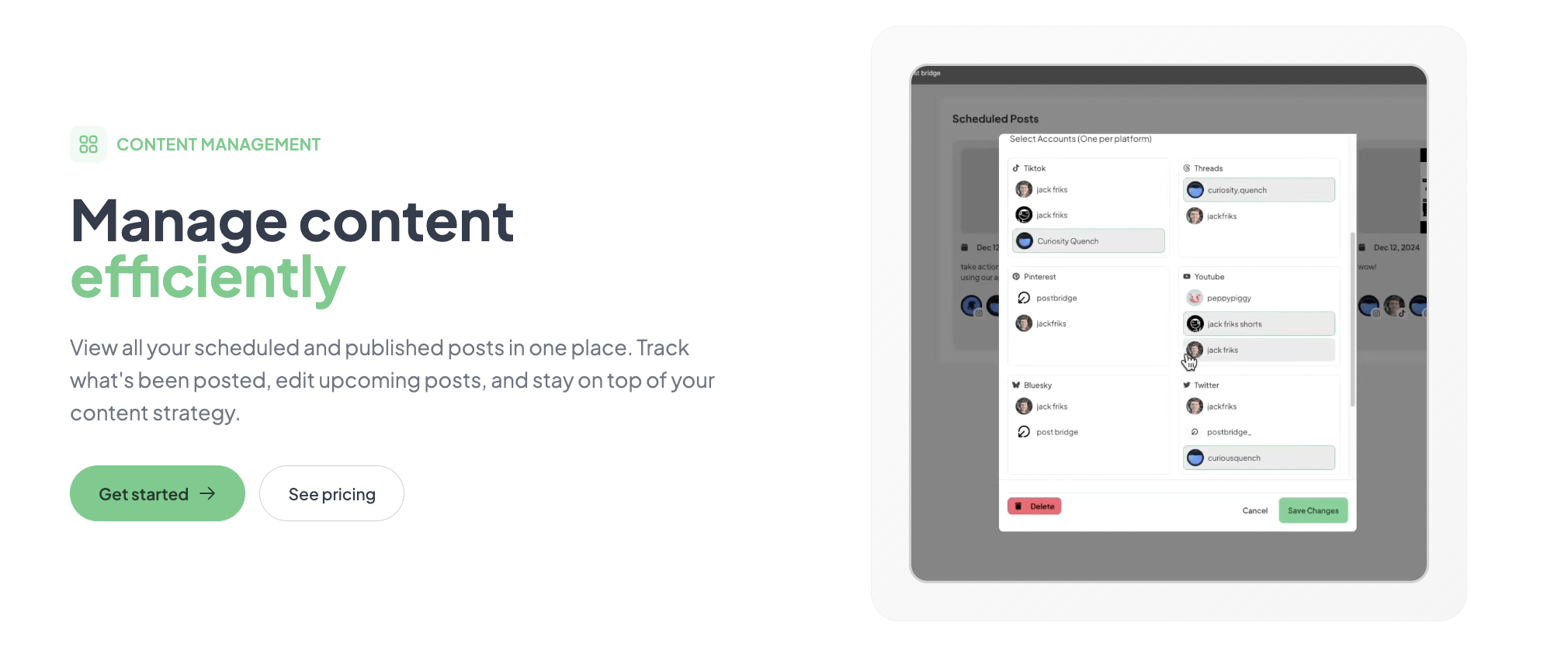
One step that is easy to miss: after connecting each social account, navigate to the “Settings” area and review the default posting schedule. Post Bridge does not set a default time zone — if you skip this, your scheduled posts will default to UTC, causing posts to appear at unexpected local times. I discovered this on day two when a scheduled post appeared 4 hours earlier than intended. Additionally, for Instagram and Facebook accounts, you must verify that the connected Facebook Page has the correct Instagram business account linked in Meta Business Suite before the composer recognizes the Instagram account as ready for posting. Users who skip this step will see a persistent “Account not ready — link Instagram to a Facebook Page” error in the composer.
Post Bridge delivers on its core promise: a fast, affordable social media scheduler for personal brands that reliably publishes across 10 platforms without the complexity and price of enterprise tools. The Content Studio is a genuine value-add, and founder-level support is a meaningful perk at this price tier. The trade-off is in analytics depth and integration flexibility — gaps that matter for data-informed operators but not for creators who prioritize consistency and speed over measurement.
Post Bridge is conditionally worth subscribing: if you are a solo creator or founder managing 3–15 accounts and your content strategy relies more on consistent output than on metrics-driven optimization, this tool delivers strong value at a fair price. I would rate it 8/10 for workflow fit for solo operators, but a 5/10 for feature completeness for teams or data-heavy users. If your budget for social tools is under $30/month, start here. If your analytics needs are non-negotiable, look at Buffer or stay with native platform tools until Post Bridge matures its reporting.
If you have been using Post Bridge for more than a month, I want to hear how the analytics beta has evolved in your experience — has Jack added export features or more granular charts since you started? Drop us a note through our contact page with your observations; your insight helps other readers decide if the tool’s analytics are catching up to their needs. If you are ready to test it yourself, use the free trial link to start with zero payment commitment.
The free plan caps you at 5 total posts, which is insufficient to evaluate scheduling reliability or cross-platform consistency in a real weekly posting cadence. The 7-day Creator trial (no credit card required) offers unlimited posting and full Content Studio access — that is the proper evaluation path. Use the trial to run a full week of your intended posting schedule before committing.
Buffer is Post Bridge’s closest direct competitor. Buffer wins on analytics maturity and integration support (Zapier, RSS, etc.) but costs roughly twice as much for equivalent account limits. Post Bridge wins on price, Content Studio video editing, and founder-level support. For a solo creator who posts primarily video and image content and does not need exportable analytics, Post Bridge is the better value. For a data-driven marketer who needs per-post engagement breakdowns and automated scheduling triggers, Buffer justifies its higher cost.
From signup to first scheduled post, expect 15–20 minutes if you have your platform accounts ready and understand OAuth permissions. The fastest path: sign up, connect your top 3 platforms, create a single post with a linked image, schedule it for the next hour, and verify publication. A user who needs to link Instagram to a Facebook Business Page first should budget an additional 10 minutes for the Meta setup.
For most users, the base Creator plan ($29/month) is sufficient. If you want to automate posts from external tools or integrate Post Bridge into a custom workflow, you will need the Add-on API plan ($5/month). There are no mandatory add-ons, and no platform-specific surcharges. If you manage more than 15 accounts, you will need to upgrade to the Pro plan ($49/month).
You can cancel at any time through the dashboard settings — no phone call required. Your subscription remains active until the end of the current billing period, and you retain access to all features during that time. Refunds are available within 7 days of any charge by emailing support@post-bridge.com. This is a straightforward, user-friendly policy that matches the tool’s overall design philosophy.
The pricing model is per-account, not per-user, so scaling team members does not increase cost unless you exceed the account limits of your plan. The Creator plan caps at 15 accounts; the Pro plan removes that limit. For a team of 2–3 people managing 20+ accounts, the Pro plan at $49/month remains reasonable compared to Hootsuite’s $99/month for a single user. The lack of granular permission controls is the real scaling constraint — not pricing.
Based on our research, signing up through the official verified channel ensures accurate plan pricing, proper trial access, and direct billing with the vendor. Third-party resellers may offer promotional pricing but can introduce account verification delays and complicate refund requests. Post Bridge only sells directly through its own site, so going through the official path is straightforward.
Post Bridge says no, and my limited testing supports this claim. I posted identical content natively and via Post Bridge on Twitter and LinkedIn and observed no measurable difference in impressions or engagement within the first 4 hours. The tool uses official API endpoints, which platforms treat the same as native app publishing. The more significant variable is posting time and content quality — not the tool used to schedule it.
The Pro plan allows you to invite team members but does not offer client-level separation, role-based permissions, or approval workflows. If you manage accounts for 5 different clients under one dashboard, you will see all posts from all clients in the same unified calendar. This is workable for a freelancer with 2–3 clients who can manually label posts in the caption, but it is not designed for agency-grade client management.
If Post Bridge’s analytics limitations are a concern, Buffer remains the most direct upgrade path with its mature reporting suite. For Instagram-specific creators, Later offers a superior visual calendar and native Instagram optimization tools like link-in-bio and post-approval workflows. For users who need full automation capabilities, Hootsuite provides Zapier integration and social listening features that Post Bridge lacks, albeit at a significantly higher starting price. Our guide to simple social scheduling for startups covers additional tools that balance cost and feature sets for growing teams. Each of these alternatives serves a different point on the complexity spectrum, and the right fit depends on whether your primary bottleneck is cost, analytics depth, or automation flexibility.
Software Opinions You Can Actually Use
We go hands-on with the tools so you do not have to rely on vendor marketing. No sponsored rankings. No filler. Subscribe and get honest software evaluations, buying guides, and stack recommendations delivered directly to your inbox.