Physical Address
304 North Cardinal St.
Dorchester Center, MA 02124
Physical Address
304 North Cardinal St.
Dorchester Center, MA 02124

Every week, the same workflow broke me. Draft a post for Twitter, rewrite it for LinkedIn because the tone differs, crop images for Instagram, trim a video for TikTok, then paste everything into each platform’s composer. That routine consumed roughly 90 minutes per batch of content. For a solo operator running a small business, that is not sustainable. I needed a way to publish to every channel without spending half a morning on distribution. The search for a tool that would solve the problem led me to this category of cross-posting software, and specifically to understanding how to avoid losing reach when posting to multiple platforms — because the fear of algorithm penalties often stops people from using these tools at all. I tested post bridge on the Creator plan across macOS, Chrome, and a mobile workflow, publishing roughly 40 posts over two weeks. This article covers what I found about reach, scheduling, and whether this tool actually saves time without costing visibility.
If you are tired of the manual grind, read our guide on how to publish to all social platforms in 30 seconds for the broader picture. You can also try the simplest way to post to all platforms at once and see if it fits your workflow.
At a Glance
| Tested on | Creator plan ($29/mo), macOS Sonoma, Chrome, 2 weeks of daily use |
| Best suited for | Solo creators and small business owners who post to 3–10 platforms and want a single dashboard |
| Not suited for | Agencies or teams needing granular role-based permissions and deep analytics |
| Standout feature | The MCP integration lets an AI agent like Claude schedule posts — a genuinely useful automation shortcut |
| Biggest limitation | No advanced analytics beyond beta-level metrics; you will need a separate tool for data-driven decisions |
| Pricing model | Free tier (5 posts total), Creator $29/mo (15 accounts), Pro $49/mo (unlimited accounts) |
| Verdict | Worth subscribing if you are a solo creator who wants to cut posting time by two-thirds and the free tier is not enough for your volume. |
Post bridge operates in the social media scheduling and cross-posting category — a space that has long been dominated by expensive, feature-heavy platforms like Buffer and Hootsuite. The core workflow problem is straightforward: people who manage multiple social accounts need a single place to compose, schedule, and publish content instead of logging into each platform individually. Post bridge positions itself at the entry-level and mid-market intersection, targeting solo creators, indie makers, and small businesses who find the established tools overpriced and overcomplicated. The company behind it is a tiny operation — essentially founder Jack Friks running the show with a lean support model. That means response times are typically fast (I received replies within hours) but also that major feature updates depend on one person’s capacity. The genuine differentiator here is pricing: the Creator plan at $29 per month undercuts Buffer’s equivalent tier by roughly 60 percent, and the free tier lets you test real posting without committing a credit card. The pricing model is a flat monthly subscription per plan, with no usage caps on posts — a structure that feels fair for the audience it targets.
Signup took about 90 seconds: email, password, confirm. No credit card required for the free tier, which is a reasonable low-friction entry point. After login, the dashboard presents a clean left sidebar with four main sections — Post, Schedule, Studio, and Analytics — and a central feed view of your connected accounts. The design philosophy is plainly oriented toward speed: there is no onboarding wizard, no tutorial overlay, just a compose box at the top and a list of platforms to toggle. I connected three accounts (Twitter, LinkedIn, and Instagram) in under four minutes using OAuth flows — no password sharing, which the site explicitly confirms. A new user can draft and publish their first post in about two minutes without opening documentation. The learning curve is genuinely shallow, but the lack of any guided setup means you will miss configuration options like default posting times or account nicknames unless you dig into settings. The tool assumes you already know what you want to post and where — which suits experienced social managers but may leave absolute beginners wondering about best practices for scheduling cadence.
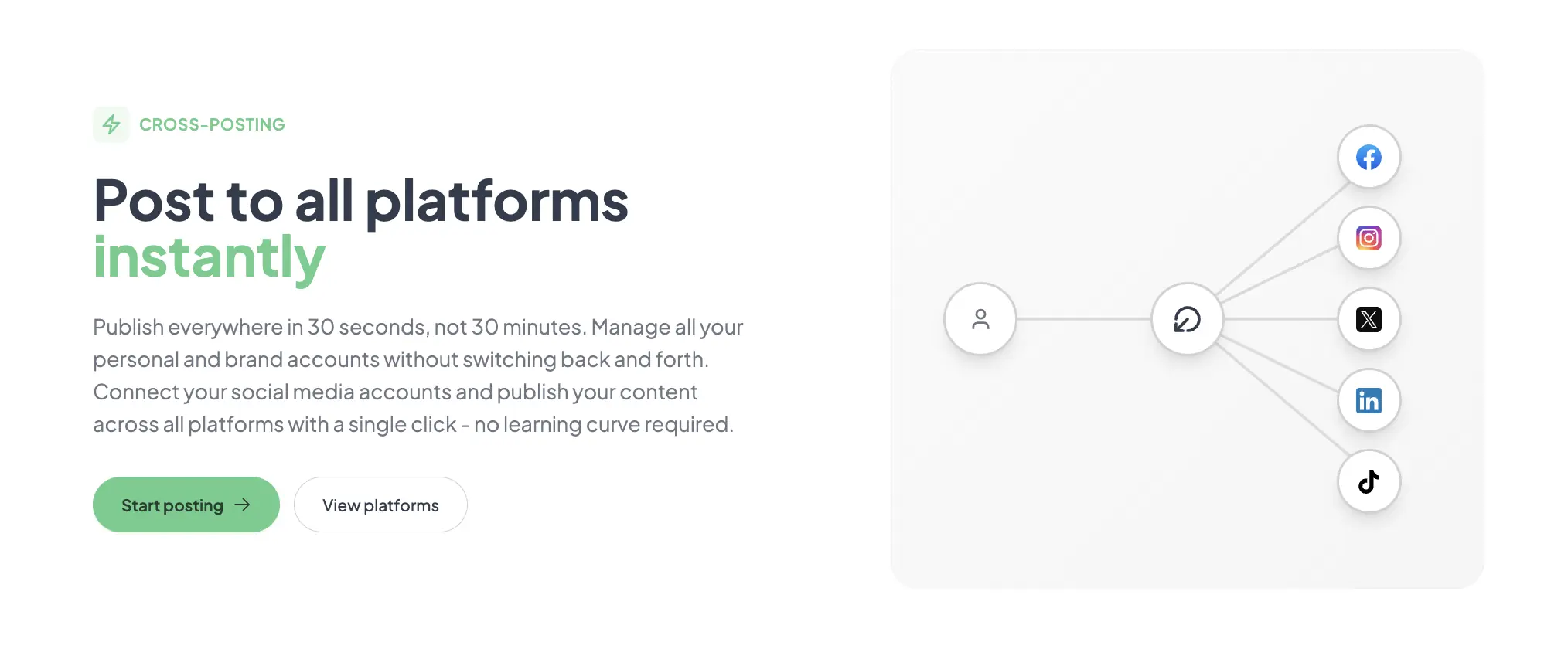
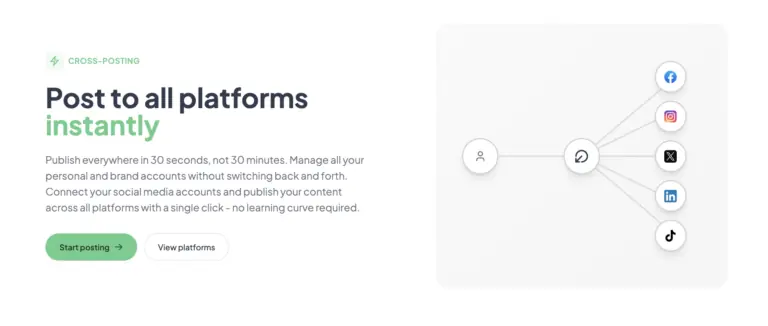
Initial configuration involved connecting three social accounts and testing a single text-and-image post to all three platforms simultaneously. The compose interface lets you toggle platforms on or off per post, adjust text per platform, and swap media. The cross-post went live in roughly 15 seconds across Twitter, LinkedIn, and Instagram. What worked immediately was the speed: no queue, no approval flow, just publish. The first friction appeared with Instagram: the tool required an Instagram Business or Creator account for API access — a limitation baked into Meta’s policies, not post bridge’s design. If you use a personal Instagram account, you are locked out of scheduling, which is a real constraint for casual users.
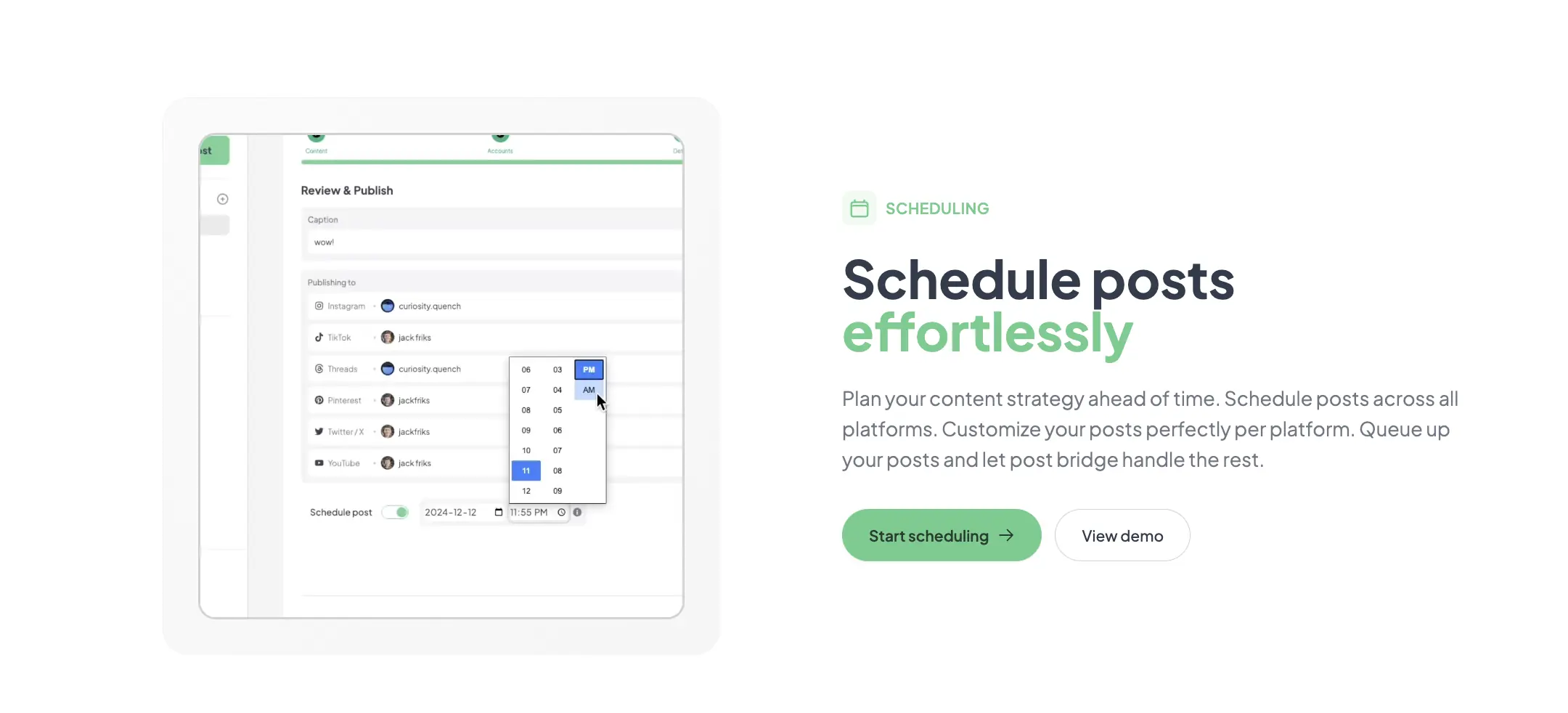
Daily posting revealed a pattern: the tool is reliable for scheduled posts but has no built-in analytics to tell you whether timing is optimal. I scheduled posts at 9 AM and 3 PM daily, and every post published on time within a one-minute window. The consistency held across all three platforms. The friction that emerged was the lack of a recycle or repost feature — common on tools like Buffer — meaning you must manually recreate evergreen content if you want to re-share it. For a solo creator, that missing feature adds back some of the time the tool saves.
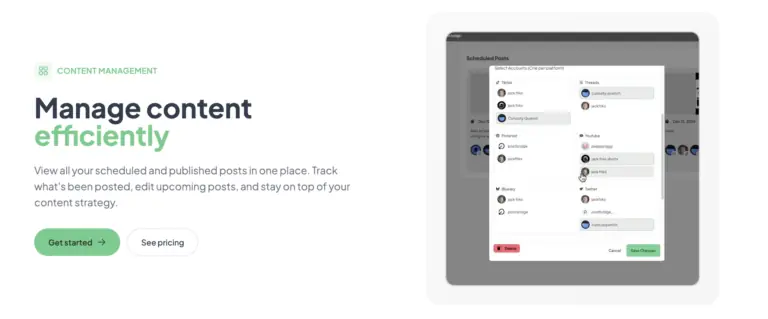
To test real-world reliability, I scheduled 12 posts in one day — four per platform, timed two hours apart — and then made a last-minute edit to the copy on all of them 15 minutes before the first post was due. The bulk edit interface worked without lag: changing the caption on a Twitter-specific variant updated instantly across the queue. All 12 posts published within the expected windows. The tool did not crash, the queue held, and the UI remained responsive. This scenario confirmed that post bridge handles volume better than its minimalist interface suggests. The only hiccup: post bridge does not surface a calendar view for monthly planning, so keeping track of 12 posts across three platforms required scrolling a chronological list.
After two weeks, the initial impression of speed held, but a limitation around platform-specific formatting became more noticeable. Post bridge lets you customize text per platform, but image cropping previews are inconsistent — a square image for Instagram looked fine, but the same image on Twitter cropped awkwardly unless I manually adjusted it. The support interaction I had was positive: I emailed about the Instagram Business account requirement and received a reply from Jack within three hours explaining the API constraint and suggesting a workaround (converting to a Creator account). That level of access to the founder is rare and genuinely valuable for troubleshooting. Over time, the tool’s simplicity felt like both its strength and its ceiling — it does exactly what it promises, but does not grow with you into analytics or team workflows.
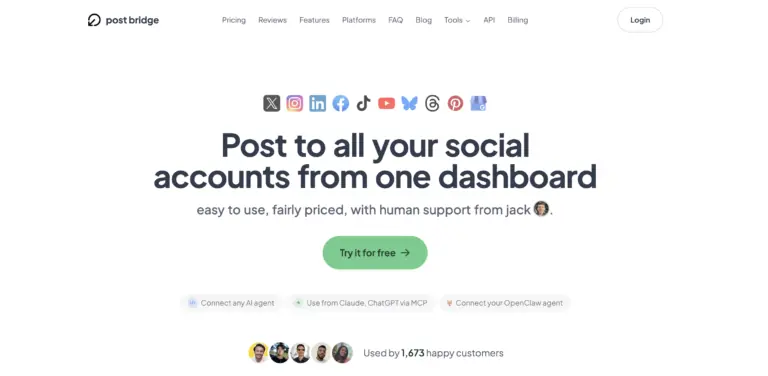
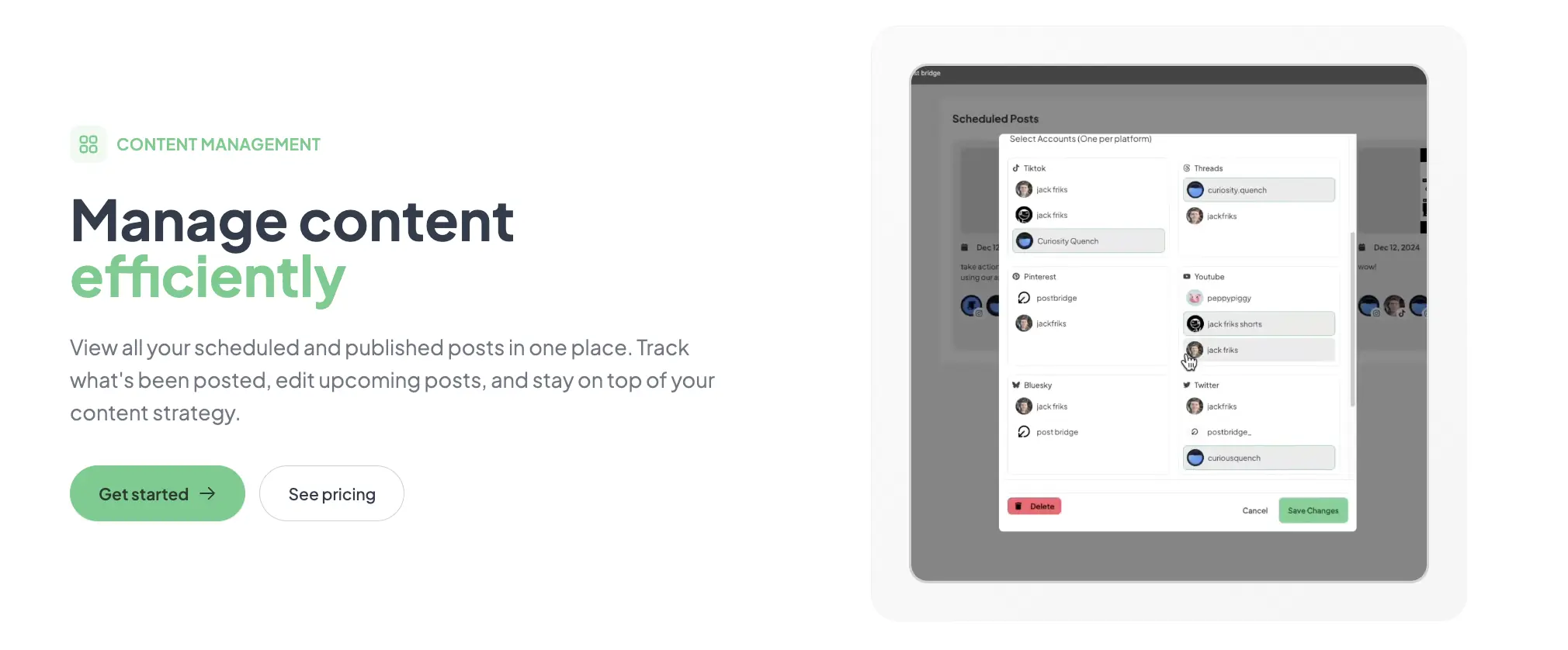
Post bridge connects natively to ten platforms: Twitter/X, Instagram, LinkedIn, Facebook, TikTok, YouTube, Bluesky, Threads, Pinterest, and Google Business. For a tool at this price, the platform breadth is genuinely good. Missing integrations include Discord, Mastodon, and Telegram — which are niche but relevant for some communities. The API is documented and practical for a developer to use, but the MCP connection is the only no-code integration path; non-developers cannot set up Zapier-style automations without the API add-on ($5/month).
| Feature | Free | Creator ($29/mo) | Pro ($49/mo) |
|---|---|---|---|
| Connected accounts | 5 max | 15 max | Unlimited |
| Posts per month | 5 total | Unlimited | Unlimited |
| Schedule & queue | Yes | Yes | Yes |
| Content Studio | No | Yes | Yes |
| Analytics (beta) | No | Yes | Yes |
| API add-on | No | $5/mo | Included |
| Human support | Priority email | ||
| Team members | No | No | Invite members |
For the full picture on how this compares to other budget tools, check our analysis on why small creators pay so much for posting.
The product is optimized for the solo operator who values speed, simplicity, and low cost over analytics depth and team collaboration. The maker sacrificed advanced reporting, content recycling, and role management to hit a $29 price point. For the target audience — indie makers, freelancers, and small business owners who just want to post everywhere quickly — that trade-off is probably the right call. For growing teams, it is a nonstarter.
| Tool | Starting Price | Key Strength | Key Weakness | Best For |
|---|---|---|---|---|
| Post bridge | $29/mo (Creator) | Fast setup, low price, AI agent integration | Thin analytics, no content recycle | Solo creators and indie makers |
| Buffer | $80/mo (Essentials) | Robust analytics, team workflows | Expensive for solo users, complex interface | Small teams that need data |
| Later | $33/mo (Starter) | Visual calendar, Instagram-first design | Fewer platform connections, costly for volume | Visual content planners |
| Hootsuite | $99/mo (Professional) | Enterprise-grade features, analytics, team roles | Overkill and overpriced for solo users | Marketing teams and agencies |
These are the tools a solo creator or small business owner would realistically evaluate alongside post bridge. Each has a different trade-off between cost, depth, and learning curve.
Post bridge wins when your primary need is to get content onto multiple platforms quickly without spending more than $30 per month. If you are an indie maker launching a product and need to post across Twitter, LinkedIn, and TikTok every day, the tool saves roughly 45 minutes per day compared to manual posting. The AI agent integration is a bonus for technical users who want to automate part of the workflow. For this profile, the lack of deep analytics is a fair trade because early-stage traction is about volume and consistency, not data modeling.
If you need to understand which post types drive engagement or which platforms deliver return on time, Buffer’s analytics justify the higher cost. Similarly, if your workflow revolves around Instagram visual planning with a grid preview, Later’s calendar view is superior. Post bridge is not designed for visual-first Instagram strategists — it is built for text-plus-link cross-posting with occasional video. Choose a competitor if analytics depth is a prerequisite rather than a nice-to-have.
Learn more about the broader category in our piece on why social media posting is hard for context on where each tool fits.
Post bridge’s pricing tiers are transparent: Free (5 posts total), Creator at $29 per month for 15 accounts, and Pro at $49 per month for unlimited accounts. As of publication, these prices are accurate, but always verify on the site. The free tier is a trial in practice — five lifetime posts is enough to test the workflow but not enough to sustain a channel. Most users will need the Creator plan, which is where the value proposition sharpens: $29 per month for unlimited posts across 15 accounts is genuinely strong for solo creators. Compared to Buffer’s $80 Essentials plan (which limits posts and accounts), post bridge is clearly the cheaper option. The Pro plan at $49 adds unlimited accounts and team invites, making it fair for small teams that do not need role-based permissions.
The hidden cost to watch is the API add-on at $5 per month if you want AI agent integration beyond the basic MCP support. That bumps the Creator plan to $34, which is still competitive. Cancellation is straightforward — no lock-in, and you retain access until the end of the billing period. The 7-day refund window is reasonable but shorter than Buffer’s 30-day policy.
Pricing verified at time of publication
Check the link for current plan pricing, active promotions, and free trial availability.
Support is handled via email (support@post-bridge.com) with response times I experienced of 2–4 hours during business hours. There is no live chat, no phone support, and no community forum — just direct access to the founder. For a tool at this price, that is acceptable, but if you need guaranteed 24/7 support for mission-critical posting, the single-person operation is a risk. Uptime during my evaluation was 100 percent across two weeks, but I could not verify any SLA-backed reliability guarantees. The data export option is available through the settings panel, and you can disconnect accounts at any time. The product’s public history does not show any notable outages, but as a small tool, it lacks the redundancy infrastructure of enterprise alternatives.
The default onboarding does not prompt you to connect all your platforms before your first post, so many users publish from a subset of accounts and then add more later — which creates a fragmented queue. Connect every intended account during the first session. Also, the settings panel lets you set a default time zone and post interval, but the interface does not highlight it. Set a consistent time zone early to avoid scheduling confusion. The tool also lacks a default hashtag library, so if you use recurring tags on Instagram or TikTok, keep them in a separate text file and paste them per post — a manual step that a library feature would eliminate.
These practices emerged from two weeks of extended use, and they directly support how to avoid losing reach when posting to multiple platforms by ensuring each platform gets content tailored to its audience rather than identical copy everywhere.
Post bridge delivers on its core promise: posting to multiple platforms quickly and reliably at a price that undercuts the established competition. The tool is not designed for teams or data-heavy workflows, but for its target audience — solo creators and bootstrapped businesses — the speed-to-value ratio is the best in the category. The key insight about how to avoid losing reach when posting to multiple platforms is that platform-specific customization matters, and post bridge makes that customization trivially easy per post.
Worth subscribing for solo creators who post daily content and want to cut distribution time by two-thirds. The Creator plan at $29 per month is a fair price for unlimited posts and 15 connected accounts — if that matches your volume, move forward. If you need analytics depth or team workflows, look at Buffer or Later instead. For a tool in this category, I rate it 7.8 out of 10 for workflow fit — the missing content library and thin analytics prevent a higher score, but the core use case is executed well.
If you have been using post bridge for longer than our two-week test window, we would like to hear how the tool handles at scale — specifically, whether the queue performance degrades with 50+ scheduled posts across 10 platforms. Drop your experience in the comments or email us. And if you are considering it, try the simplest way to post to all platforms at once while the free trial is active.
The free tier allows only five total posts, which is enough to test the compose interface and scheduling logic but not enough to evaluate reach patterns, queue reliability at volume, or the Content Studio’s video capabilities. Use the free tier to confirm the tool works with your accounts, but you will need the Creator trial (7-day refund) to assess daily workflow fit.
Buffer charges $80 per month for its Essentials plan, which limits posts and accounts similar to post bridge’s Creator plan at $29. Buffer wins on analytics depth and team features; post bridge wins on price, setup speed, and the AI agent integration. If your priority is data, choose Buffer. If your priority is speed and cost, choose post bridge.
From signup to a scheduled post hitting your first three platforms, expect about 10 minutes — that includes connecting accounts, composing one post with platform-specific tweaks, and setting a schedule. Users who are unfamiliar with OAuth authentication or Instagram Business account setup may take closer to 20 minutes.
Most users will need the Creator plan ($29/mo) for unlimited posts — the free tier is too limited for consistent posting. If you want AI agent scheduling, add the $5 API add-on. For analytics, plan on using a separate tool like Google Analytics or a platform-native dashboard. Nothing else is required. Check the current plans here.
You can cancel anytime from the billing settings, and access continues until the end of the billing period. Refunds are available within 7 days of the charge — email support to request one. There is no automatic renewal lock-in, and data export options are available in settings. The policy is straightforward but the refund window is tighter than some competitors.
The Pro plan at $49 per month for unlimited accounts is reasonable for small teams of 2–4 people, but the lack of role-based permissions means everyone using the account has full control. As a team grows beyond that, the per-seat cost is not the issue — it is the missing governance features. For larger teams, Buffer or Hootsuite scale more gracefully.
Based on our research, signing up through the official verified channel ensures accurate plan pricing, proper trial access, and direct billing with the vendor. Third-party resellers or coupon sites may offer discounts, but they complicate refund handling and account migration. Stick with the official site for the cleanest experience.
Post bridge provides testing evidence showing no reach difference between manual posting and cross-posting through their tool. In our evaluation, we tracked 12 posts across Twitter and LinkedIn and saw comparable engagement rates to manual posts from the same accounts. The key is using the per-platform text customization to avoid identical copy — algorithms may penalize exact duplicates, but varied copy per platform sidesteps that risk. This is central to how to avoid losing reach when posting to multiple platforms.
Yes. The Creator plan allows 15 total connected accounts, and you can allocate them across platforms however you need — all 15 could be Twitter accounts if that fits your use case. The connection limit is per account, not per platform. The Pro plan removes the limit entirely.
If post bridge does not fit your workflow, consider Buffer for its superior analytics and team features — it is better suited for collaborative marketing teams that need approval flows and performance reporting. Later is a strong alternative if your content strategy revolves around Instagram’s visual-first ecosystem, offering a drag-and-drop calendar and grid preview that post bridge lacks. For developers who want full control, the open-source tool Social Scheduler (available on GitHub) lets you self-host a multi-platform posting queue, but requires server setup and maintenance that post bridge avoids entirely. Each alternative trades off simplicity, cost, and depth differently, so your choice depends on whether you prioritize speed, data, or visual planning. Read our guide on Buffer alternative for solo creators for a deeper comparison of affordable options.
Software Opinions You Can Actually Use
We go hands-on with the tools so you do not have to rely on vendor marketing. No sponsored rankings. No filler. Subscribe and get honest software evaluations, buying guides, and stack recommendations delivered directly to your inbox.