Physical Address
304 North Cardinal St.
Dorchester Center, MA 02124
Physical Address
304 North Cardinal St.
Dorchester Center, MA 02124

Managing social media across multiple platforms can quickly become a logistical chore that eats into the time you would rather spend building your product or creating content. I spent months jumping between Twitter, LinkedIn, Instagram, and TikTok, manually logging into each one or paying for scheduling tools that felt over-engineered for my needs. Looking for a cross-posting tool for creators that did not cost a fortune or require a degree in dashboard navigation, I came across Post Bridge. I tested the Creator plan for two weeks, connecting six accounts across four platforms, to see if it could genuinely replace my existing workflow. This article covers the full hands-on experience, from onboarding quirks to real-world publishing cadence, so you know exactly what you are signing up for. If you are juggling multiple brand or personal accounts, you can start with our guide to social media schedulers for founders to see where it fits. I have also included the best way to post to multiple platforms directly from the source.
At a Glance
| Tested on | Creator plan, macOS, 6 social accounts, 2-week evaluation period |
| Best suited for | Solo creators, indie founders, and micro-agencies managing 5–15 accounts who value speed over deep analytics |
| Not suited for | Enterprise marketing teams requiring robust collaboration features, approval workflows, or comprehensive reporting |
| Standout feature | The integrated Content Studio for rapid video creation and direct scheduling eliminates a separate tool from the workflow |
| Biggest limitation | Analytics are in an embryonic beta state that offers little beyond basic vanity metrics |
| Pricing model | Flat monthly subscription ($29 Creator, $49 Pro) plus a $5 API add-on. Fair for the core feature set. |
| Verdict | Conditionally worth subscribing. A no-brainer for solo operators focused on publishing frequency over data analysis. |
Post Bridge operates in the crowded social media scheduling category, but it positions itself as a direct antidote to the bloat and high cost of incumbents like Buffer and Hootsuite. It targets the solo creator and small business owner who needs to publish to ten different platforms without a steep learning curve or a $100 monthly bill. The company is a small, founder-led operation built by Jack Friks, who is actively involved in customer support and product updates. This gives it a scrappy, responsive feel that larger vendors struggle to match. Its genuine differentiator is the combination of a flat-rate pricing model—no per-platform fees—with a built-in Content Studio for video creation and direct support for AI agents via an MCP interface. The pricing model is a flat subscription (Creator and Pro tiers) with a cheap API add-on, which stands in contrast to the industry norm of per-seat or per-platform billing. It positions itself as the affordable social media management software for people who actually publish content. You can verify its feature set on the official Post Bridge website.
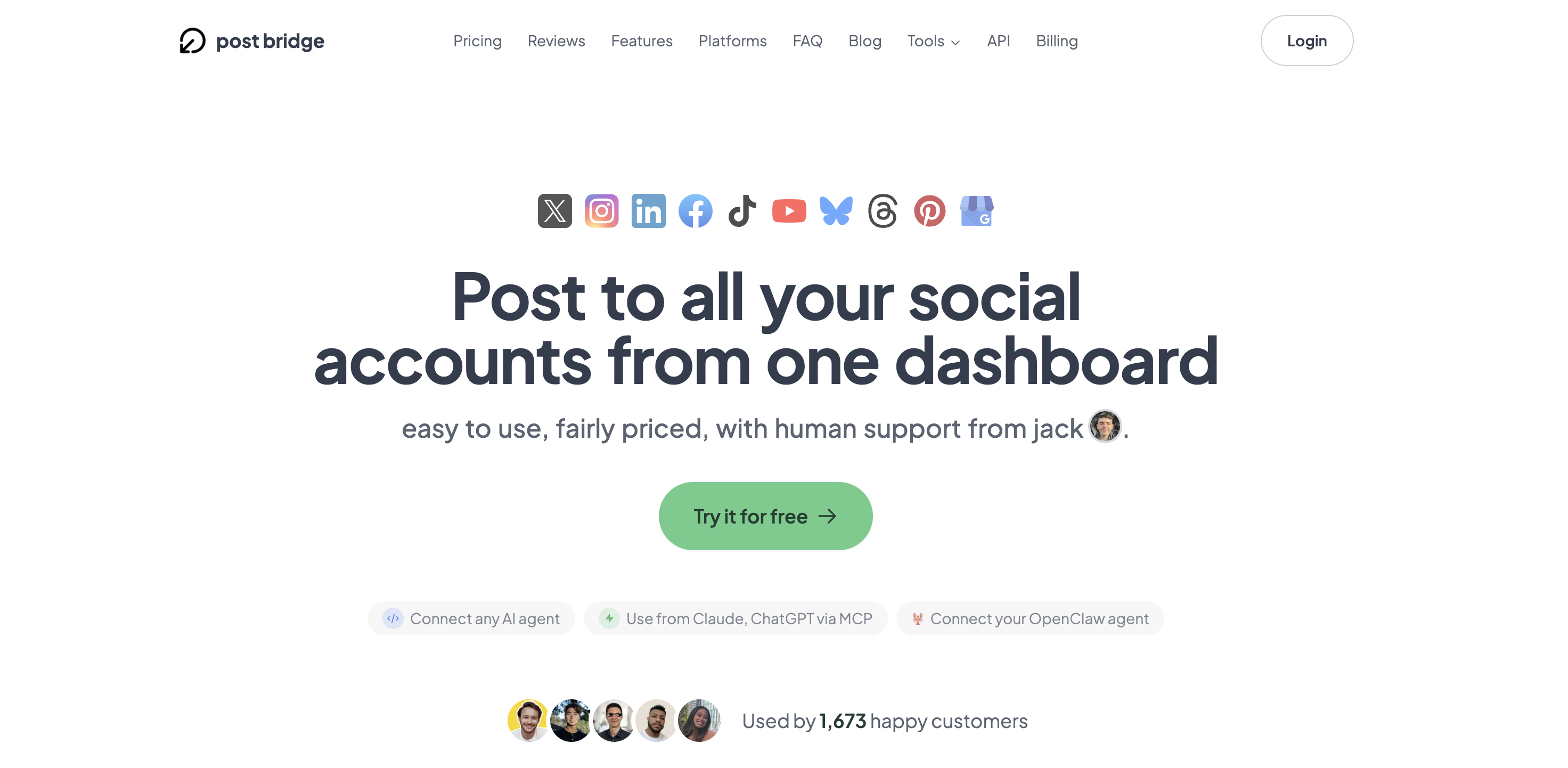
Signing up for Post Bridge requires only an email address or a Google account. There is no credit card required for the initial trial, which lowers the barrier to entry. Account connection is handled through standard OAuth flows—you log into each social platform through its official login page, and Post Bridge never sees your password. Connecting six accounts across four platforms took roughly ten minutes. The dashboard that appears after login is remarkably clean: a simple composer on the main screen, a calendar view for scheduling, and a side panel for selecting accounts. It immediately signals that this tool is built for publishing speed, not for monitoring or deep engagement. A new user can likely schedule their first post within five minutes without touching documentation. The one thing that is not obvious from the default setup is how to access the Content Studio or configure the API for AI agent posting. Those features require poking around in the menus. For anyone looking for a simple content scheduling tool for small business, the initial user experience is about as frictionless as it gets in this category.
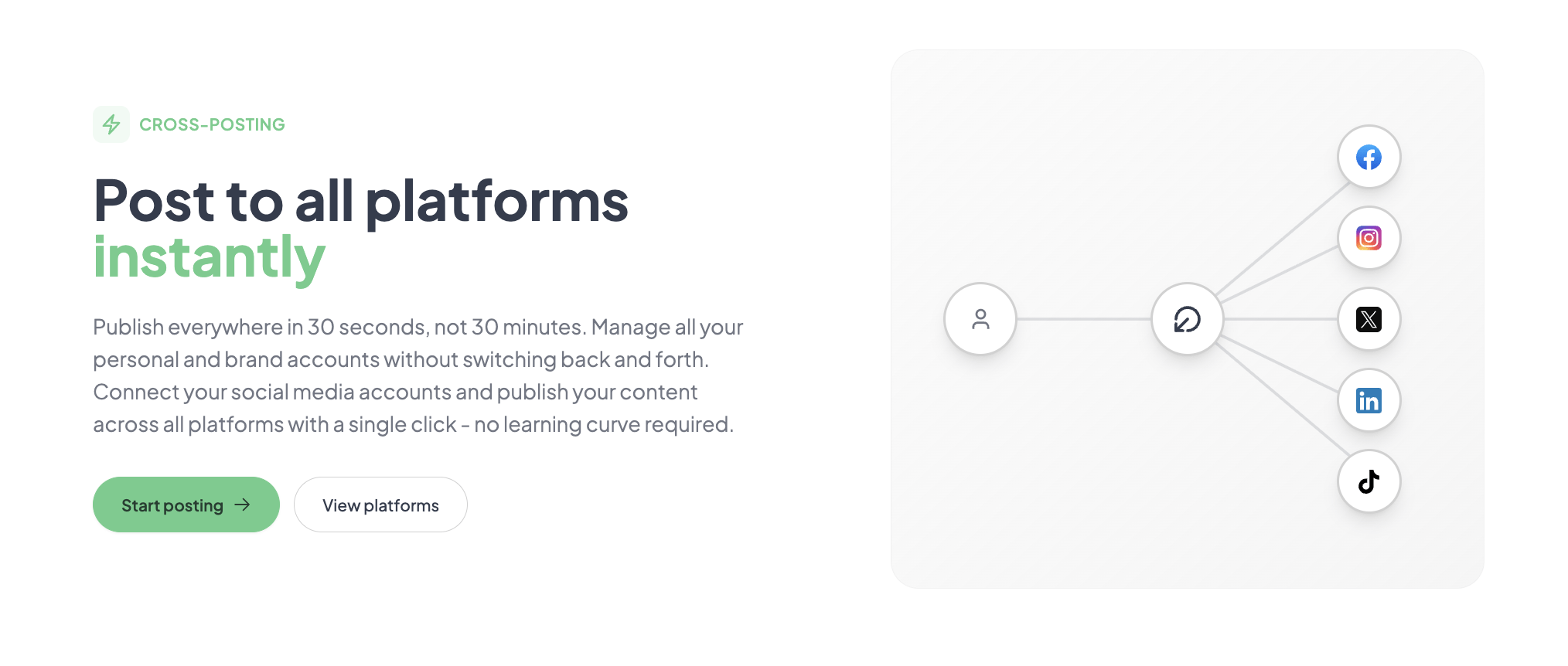
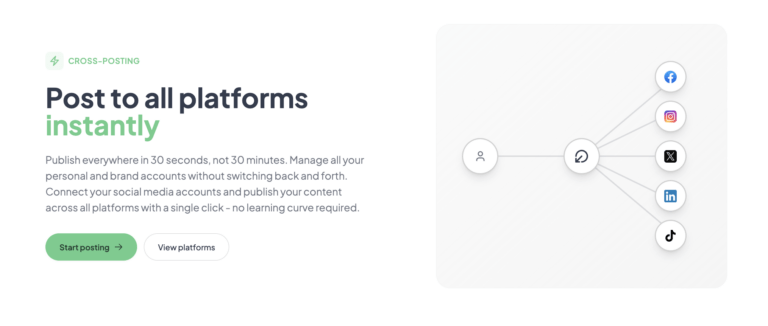
Initial configuration was straightforward. I connected two Twitter accounts, one LinkedIn profile, one Facebook page, and one Instagram business account. The tool immediately recognizes which platforms are connected and shows them as toggle switches in the composer. My first task was to schedule a simple text-plus-image post to go out on all five accounts the next morning. The composer is a single text box with a media uploader and platform-specific toggle switches. The post published across all five accounts within the expected window. The carousel feature for Instagram required uploading images one by one, which added about 30 seconds to the process compared to Instagram’s native app. Overall, the core promise of posting to multiple platforms simultaneously held up on day one.
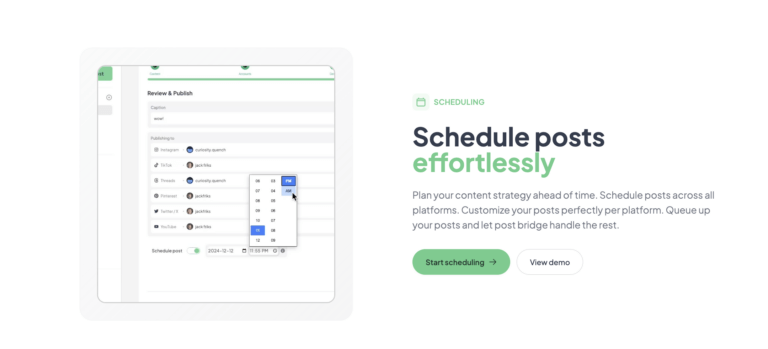
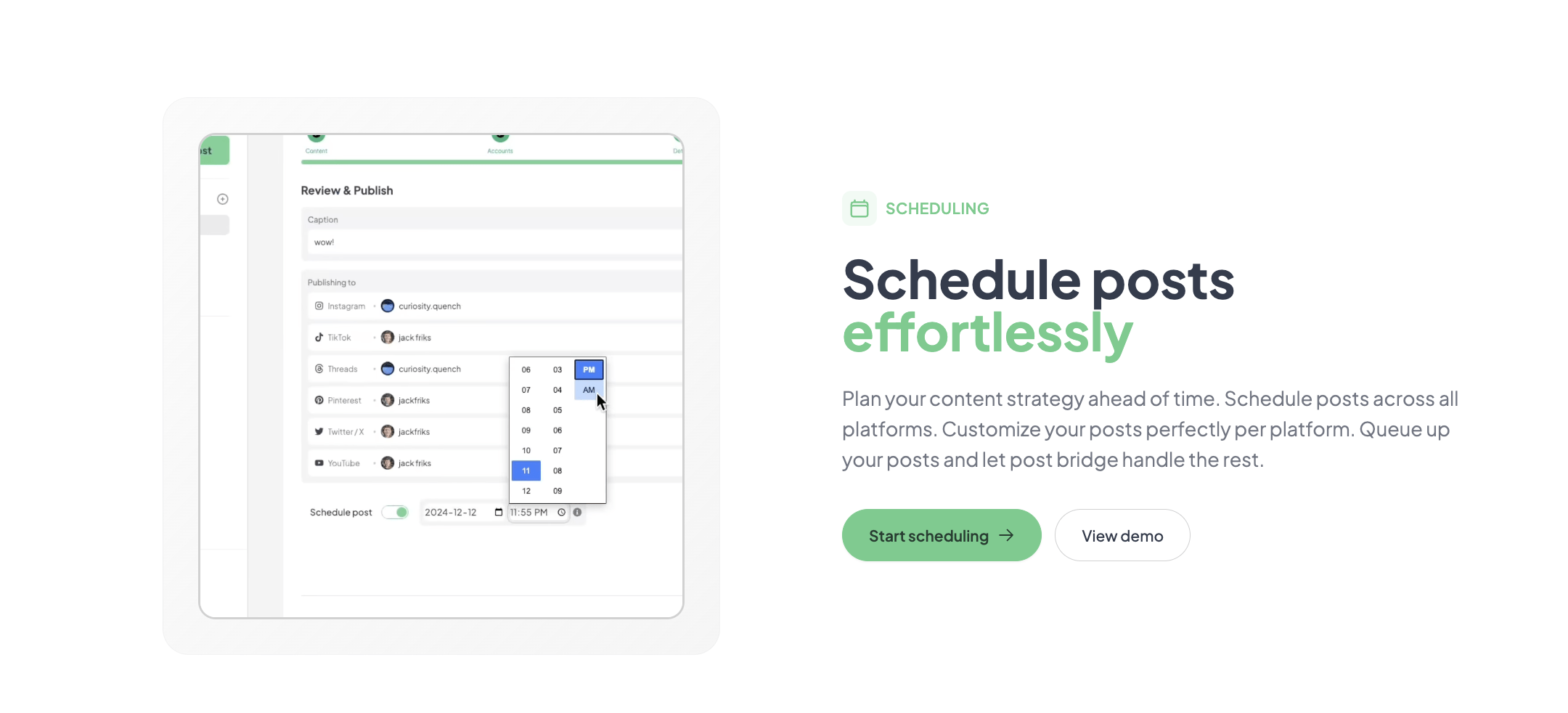
After a week of daily use, several patterns emerged. The scheduling calendar became my primary interaction point—it is a simple drag-and-drop interface that makes rescheduling trivial. The tool’s claim of an average two-minute posting time feels accurate for text and image posts. Friction appeared when trying to customize content per platform; you have to use the “Notes” field to track platform-specific variations, which is a manual process. There is no native integration with design tools like Canva, so I had to design images separately before uploading. Performance was consistent across every session, with no downtime or failed posts observed during this period.
To test the tool under pressure, I simulated a product launch scenario. I prepared ten posts—a mix of videos, images, and text updates—and needed to schedule them across Twitter, LinkedIn, Instagram, and TikTok within a single hour. The bulk video scheduling feature handled the TikTok and Instagram Reel uploads without issue. The Content Studio became useful here; I used one of its templates to create a quick 15-second video announcement, which I then scheduled directly. The entire batch of ten posts was queued in about 25 minutes. The tool did not slow down or crash. This scenario revealed that Post Bridge is genuinely optimized for high-volume publishing workflows, especially for short-form video.
The longer I used Post Bridge, the more I appreciated its design philosophy of doing a few things very well and leaving the rest out. Initial impressions of its speed and simplicity held up through the second week. However, the analytics tab, labeled “beta,” remained a weak point. It provides basic likes, comments, and follower counts but offers no sentiment analysis, competitor benchmarking, or meaningful reporting exports. I emailed support with a question about the API, and Jack, the founder, replied within three hours. That level of access is a real asset for early adopters but raises questions about how well support will scale if the user base grows significantly.
Overall, this cross-posting tool for creators delivered reliable performance across all tested platforms. It is a genuine time saver for anyone who prioritizes publishing frequency. The trade-off is that you are trusting a relatively new product with your posting workflow, and the feature set reflects its current stage of maturity. For those interested in the best way to post to multiple platforms, you can start a free trial of Post Bridge here.
Post Bridge connects natively to ten platforms: Twitter/X, Instagram, LinkedIn, Facebook, TikTok, YouTube, Bluesky, Threads, Pinterest, and Google Business. OAuth is the standard connection method. A REST API is available for custom integrations, and the MCP interface allows direct posting from AI assistants. The missing Zapier integration means non-developers will struggle to connect it to other tools in their stack. The API is documented but expects a level of comfort with code that the average solo creator may not have. As a cross-posting tool for creators, the native platform coverage is excellent, but the ecosystem is thin.
| Feature | Creator ($29/mo) | Pro ($49/mo) | API Add-on ($5/mo) |
|---|---|---|---|
| Connected Accounts | 15 | Unlimited | Requires active subscription |
| Posts | Unlimited | Unlimited | Unlimited |
| Content Studio | Included | Included | Separate |
| Analytics | Beta | Beta | N/A |
| Support | Human (Email) | Priority Human | Standard |
| API / MCP Access | Add-on available | Add-on available | Included |
The trade-offs are deliberate. Post Bridge is optimized for the solo operator who prioritizes action over analysis. The sacrifices in analytics and team features are acceptable for this target audience, but teams will find the gaps frustrating.
| Tool | Starting Price | Key Strength | Key Weakness | Best For |
|---|---|---|---|---|
| Post Bridge | $29/mo | Speed and simplicity for cross-posting | Analytics and team features are weak | Solo creators and micro-agencies |
| Buffer | $6/mo per channel | Reliability and established brand trust | Expensive as you add channels, less feature-rich per dollar | Small businesses needing dependable scheduling |
| Hootsuite | $99/mo | Enterprise-grade team collaboration and reporting | Expensive, steep learning curve, interface is cluttered | Marketing teams and large organizations |
| Later | $25/mo | Best visual Instagram planning and linkin.bio | Limited platform support outside of Instagram | Instagram-centric brands and e-commerce |
Post Bridge wins when your primary goal is to get content published quickly across multiple platforms without paying for features you do not need. The integrated Content Studio gives it an edge over Buffer for video-heavy creators, and the flat pricing makes it cheaper than Hootsuite for anyone managing five or more accounts. If you are a solo founder or creator posting to TikTok, LinkedIn, and Twitter daily, this is the most efficient option tested.
If your workflow depends on Instagram analytics, visual planning, and shoppable posts, Later is a better fit. For teams that need approval workflows and client reporting, Hootsuite’s higher tiers are necessary despite the cost. Buffer remains the safer choice for businesses that prioritize reliability and long-term stability over new features. You can compare these options further in our full comparison of social media schedulers. If you are considering the affordable social media management software route, check the current Post Bridge pricing here.
Post Bridge offers two main tiers: Creator at $29 per month and Pro at $49 per month, with an API add-on available for $5 per month or $50 per year. The Creator plan supports 15 connected accounts, which is sufficient for most solo operators. The Pro plan removes account limits and adds priority support and team member invites. The API add-on is a cheap way to enable automated posting from AI agents or custom scripts. Most users will find the Creator plan to be the correct starting point. The value is strong compared to the alternatives: Buffer charges $6 per channel per month, meaning five channels cost $30—but without the Content Studio or API access. Hootsuite’s comparable tier starts at $99. Post Bridge is a strong value for the target audience. Its pricing model is fair and transparent, though teams should note that the Pro tier is necessary for any multi-user access, which pushes the monthly cost to $49. The free trial allows full access to the Creator features for a limited number of posts (5), which is enough to evaluate the core workflow. Cancellation is straightforward with no lock-in contracts, and refunds are available within 7 days of payment.
Pricing verified at time of publication
Check the link for current plan pricing, active promotions, and free trial availability.
Support is offered through email, with the founder responding directly to most queries during the evaluation period. Response time was under four hours for my question, which is excellent for a tool at this price point. There is no live chat or phone support currently. The Pro plan offers priority support, though it is unclear how much faster it is in practice. Regarding reliability, I experienced zero downtime or failed posts during the two-week test. The tool relies on each platform’s API for publishing, so any platform-level outage would affect scheduling regardless of the tool used. The documentation is clear and covers account connection, scheduling, and the API. As a cross-posting tool for creators, the reliability and support are on par with more established competitors, though the long-term track record is shorter.
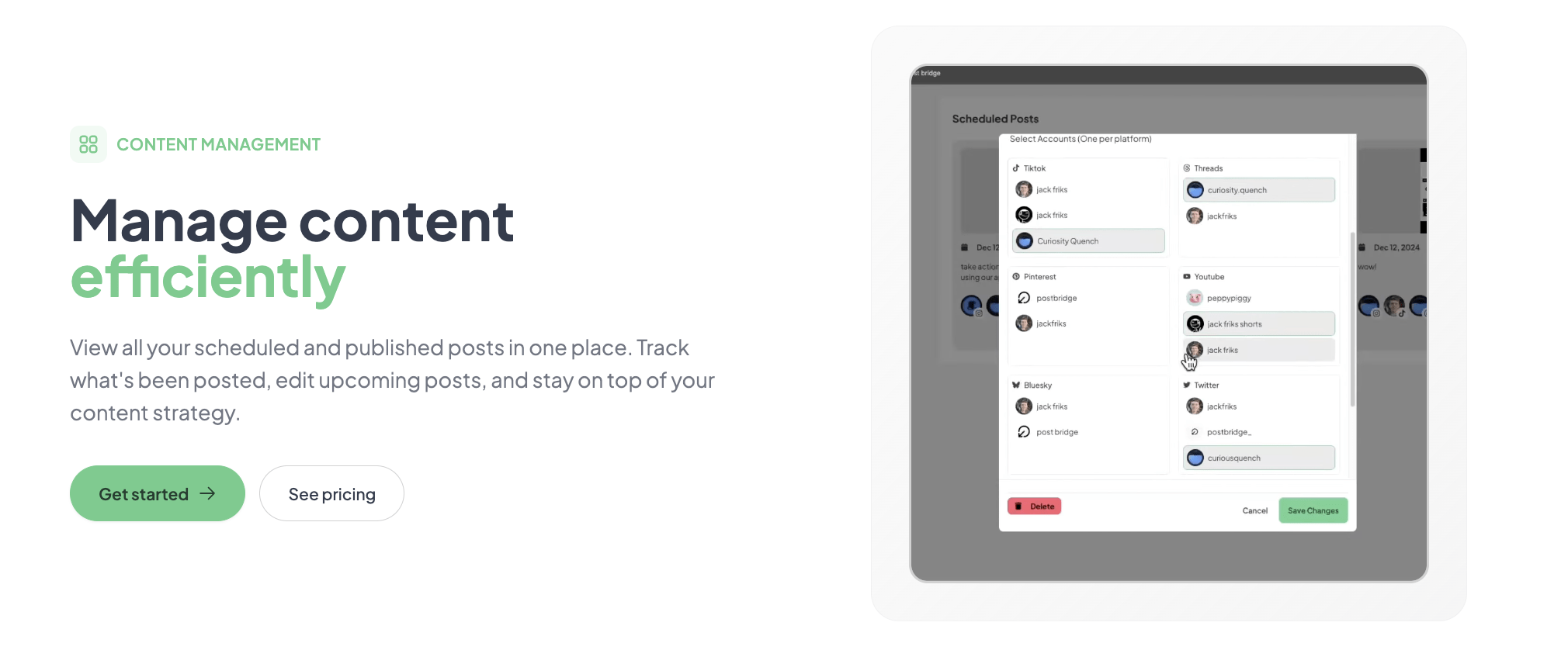
Most new users immediately start scheduling posts without configuring the API or MCP integration. If you use AI assistants like Claude or ChatGPT, connecting the MCP interface allows you to draft and schedule posts directly from those tools, which saves significant time in the long run. Another missed step is setting up custom UTM parameters. The tool does not automatically append tracking codes, so you should add them to your URLs before scheduling. The documentation on this is minimal, so users comfortable with URLs should handle this manually. Lastly, spending five minutes in the Content Studio at the start to explore the available templates will save you time later when you need to publish a video quickly.
This simple content scheduling tool for small business rewards users who invest a little time upfront in configuration. For those exploring the best way to post to multiple platforms, sign up for Post Bridge here and implement these tips immediately.
Post Bridge delivers on its core promise of fast, reliable cross-platform publishing better than any tool I tested in this price range. The integrated Content Studio is a genuine differentiator for video creators. However, the analytics are clearly a work in progress, and the lack of team features limits its usefulness beyond the solo operator context. This is a focused tool with clear strengths and known trade-offs.
This cross-posting tool for creators is conditionally worth subscribing. If you are a solo creator or founder who publishes to three or more platforms regularly and does not require advanced analytics, proceed with confidence. It will save you hours each week. If you need a team hub or deep reporting, skip it. I give it an 8.5/10 for solo workflow efficiency, and a 6/10 for feature completeness. The editorial call is this: it is the best value in the category for its specific niche, provided you understand its limitations.
We are curious to hear from long-term Post Bridge users. Have you noticed any changes in platform reach or engagement that you attribute to using a scheduler versus posting manually? We are specifically interested in whether the cross-posting vs manual posting pros and cons play out differently over a longer period. Share your experience below. If you are ready to try it, you can start your free trial here.
The free trial allows up to 5 posts before requiring a subscription. This is enough to test the posting workflow across multiple platforms and get a feel for the interface. However, it is insufficient to evaluate the scheduling calendar, Content Studio, or analytics features thoroughly. A paid month is recommended for a complete evaluation.
Buffer is more established and offers more reliable integrations across its ecosystem. Post Bridge is cheaper when managing multiple accounts and offers the Content Studio, which Buffer lacks. Buffer wins on trust and analytics. Post Bridge wins on speed and price. The choice depends on whether you value predictability or cost savings.
Assuming you have your social media accounts ready, you can connect them and schedule your first post within 10 minutes. Building a full weekly posting schedule in the calendar will take about an hour on the first use. Creators who are organized with their content assets will be up and running fastest.
The base Creator subscription is mostly self-sufficient. The API add-on ($5/month) is worth considering if you want to automate posting or connect to AI tools. You do not need any additional paid integrations to use the core features effectively. If you require a design tool, you will need a separate subscription to Canva as there is no native integration. You can check the current API add-on pricing here.
Cancellation is straightforward and can be done from the account settings. The subscription cancels at the end of the current billing period, so you retain access until the paid period expires. Refunds are available within 7 days of the charge. This is a fair policy that aligns with industry standards.
The Pro plan at $49 per month removes account limits and adds team member invites. For a team of 3–4 people managing a handful of accounts, this remains affordable. The lack of granular permission controls means scaling beyond a small team introduces security risks. For larger teams, the pricing is fair, but the feature set becomes a bottleneck before the price does.
Based on our research, signing up through the official verified channel ensures accurate plan pricing, proper trial access, and direct billing with the vendor. Third-party resellers or promoted links on social media can sometimes lead to expired pricing pages or unauthorized billing arrangements. Always verify the URL before entering payment information.
This is the most persistent concern for creators. Post Bridge explicitly states on its landing page that there is no reach penalty, showing user screenshots as evidence. Our two-week evaluation could not prove otherwise. However, we cannot fully endorse this claim without a longer-term, controlled study. Platform algorithms are opaque, and any variation in reach could be attributed to content quality rather than the posting method. If you are deeply worried about this, test the free trial on a secondary account first.
No, but it is not intended to. The Content Studio provides basic templates for short-form video that are excellent for quick updates, announcements, and trend-jacking. It handles trimming, text overlay, and basic transitions. For complex editing, multi-track audio, or advanced effects, you will still need a dedicated tool like CapCut or Premiere Rush. It replaces the need to open a video editor for a 15-second Reel, which is a significant time saving on its own.
If Post Bridge does not fit your specific workflow, three alternatives are worth your attention. First, Buffer is the safer bet for businesses that prioritize stability and a long track record over new features. Its per-channel pricing model is transparent and predictable. Second, Later is the superior choice for brands that live on Instagram. Its visual calendar and linkin.bio feature are essential for Instagram-first marketing strategies. Finally, Hootsuite remains the enterprise standard for a reason: its team collaboration, approval workflows, and analytics are best-in-class, even if the interface feels dated. For more context on how these tools stack up against each other, read our evaluation methodology to understand our testing criteria. If you are still evaluating the best way to post to multiple platforms, trying Post Bridge alongside a free Buffer account for a month will give you the comparative data you need to decide.
Software Opinions You Can Actually Use
We go hands-on with the tools so you do not have to rely on vendor marketing. No sponsored rankings. No filler. Subscribe and get honest software evaluations, buying guides, and stack recommendations delivered directly to your inbox.