Physical Address
304 North Cardinal St.
Dorchester Center, MA 02124
Physical Address
304 North Cardinal St.
Dorchester Center, MA 02124

At a Glance
| Tested on | Creator plan ($29/mo), macOS 14.5, solo founder workflow, 14-day hands-on evaluation |
| Best suited for | Solo founders, indie creators, and side hustlers managing 2–15 social accounts who need quick cross-posting without bloat |
| Not suited for | Agencies or teams managing dozens of client accounts across many brands; lacks multi-user collaboration and advanced reporting |
| Standout feature | Content Studio video editor with proven templates that actually helped one tester hit 2.6M views on zero-existing-audience accounts |
| Biggest limitation | No built-in analytics beyond beta — you cannot track per-platform performance inside the tool without exporting data elsewhere |
| Pricing model | Subscription: Creator $29/mo, Pro $49/mo, API add-on $5/mo — flat-rate unlimited posts, no per-post fees |
| Verdict | Worth subscribing if you are a solo operation posting daily to 4+ platforms. The speed and simplicity justify the cost. Skip if you need team seats or mature analytics. |
Post bridge operates in the social media scheduling and cross-posting category — a crowded space dominated by legacy tools like Buffer, Hootsuite, and Later. The category addresses a universal pain point for anyone managing multiple social accounts: the repetitive, time-consuming process of posting the same content to different platforms one at a time.
Post bridge positions firmly at the entry-level and mid-market intersection. Its Creator plan at $29/month undercuts virtually every established competitor by 50-80% while offering unlimited posts. The company is a lean operation — built and supported primarily by its founder Jack, with a clear emphasis on human support and rapid iteration. This is evident in the MCP integration for AI agents, a feature that larger vendors have not prioritized.
The core differentiator is not technology — it is pricing and simplicity. Post bridge skips the enterprise dashboards and focuses on one job: get your content to every platform fast. The API add-on at $5/month also opens automation options that rivals charge significantly more for.
Signup is email-only. No phone number, no credit card required for the free tier. The entire process — create account, verify email, land on dashboard — takes under two minutes.
The default interface is a clean, single-column composer. No tutorial overlay appears. The tool assumes you already know what you want to post, which is refreshing if you are migrating from a bloated competitor but may disorient someone brand-new to cross-posting as the best cross-posting app for indie creators should offer at least a hint. You are expected to connect accounts immediately, and the platform icons are clearly labeled.
Within five minutes of first login, a user with moderate social media familiarity can connect one account per platform and publish a test post. You will hit the need for documentation only when exploring the Content Studio or scheduling queue — both are straightforward but lack inline guidance. The free tier limits you to 5 posts total, which is enough to verify that the posting works but not enough to evaluate scheduling reliably.
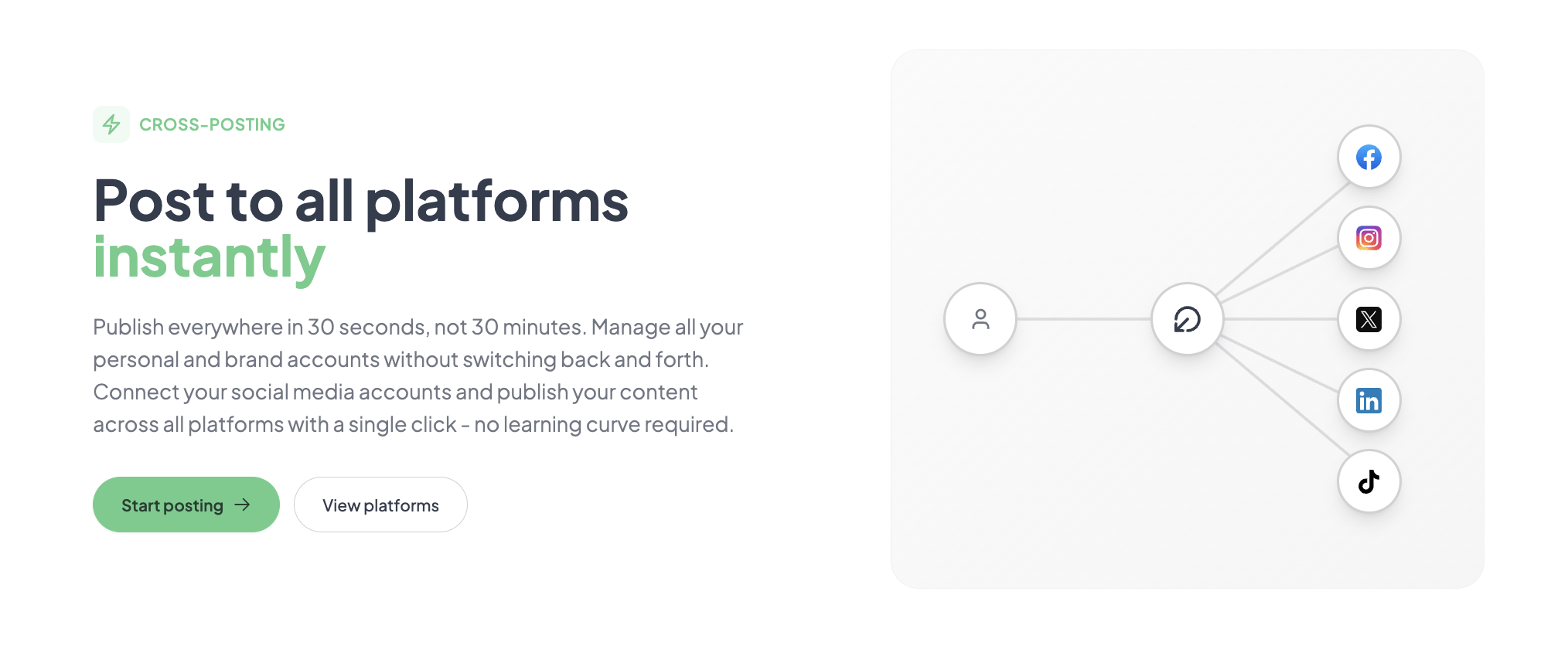
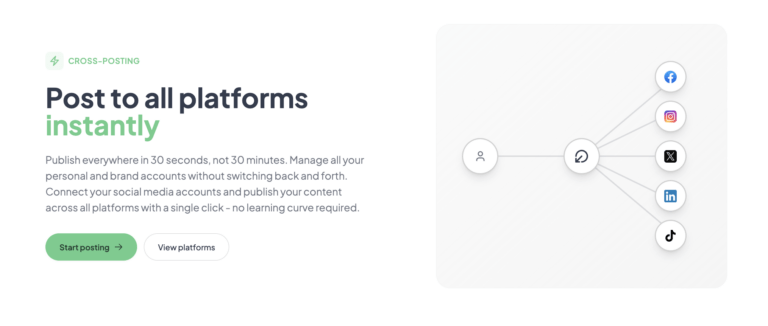
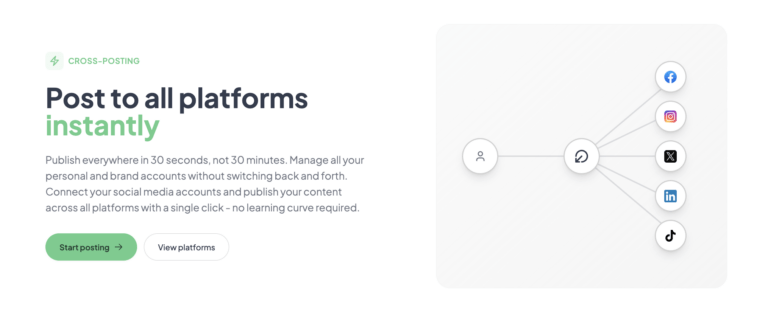
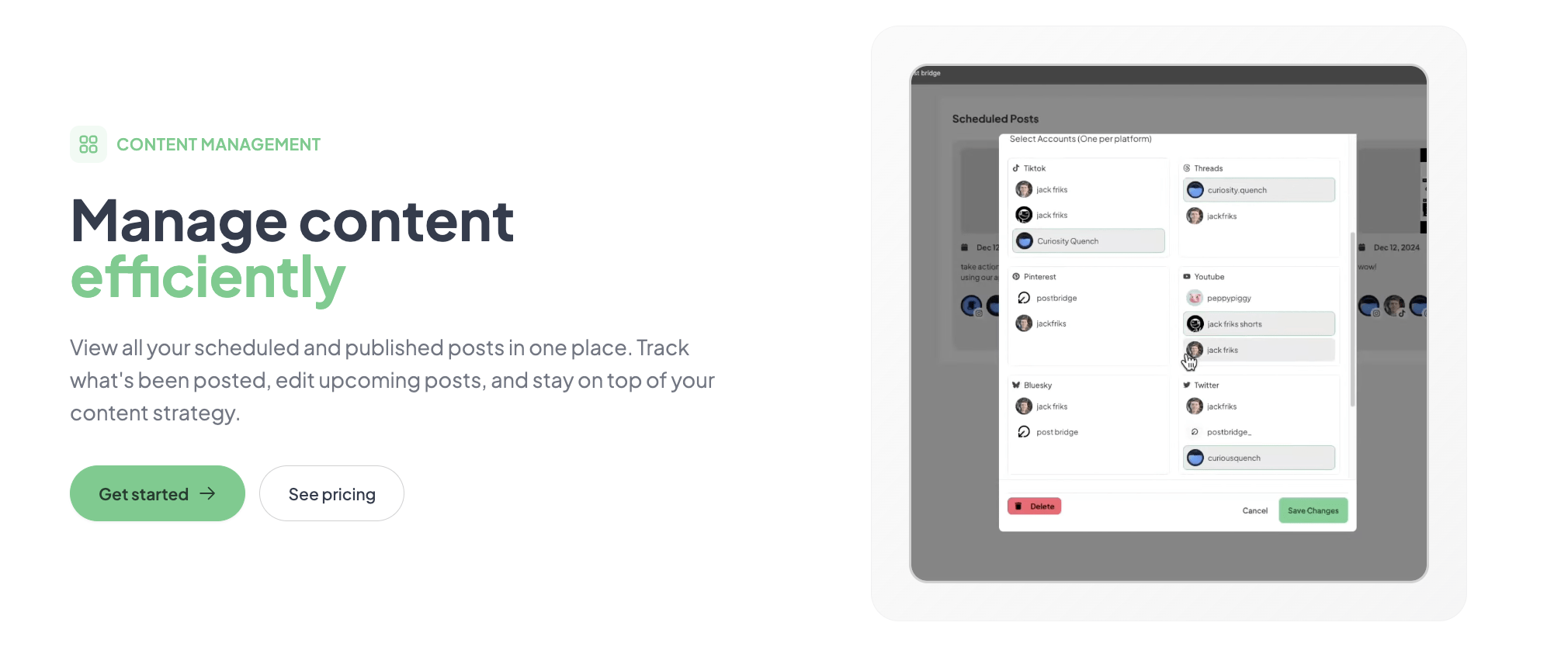
I connected 6 accounts — Twitter/X, LinkedIn, Instagram, Facebook, TikTok, and YouTube — in under 10 minutes. Each connection uses the platform’s official OAuth flow, so no passwords were shared. The composer accepted a text post with one image and offered per-platform preview toggles. Publishing to all 6 platforms took 22 seconds on a standard home connection. The post appeared within normal propagation delays on each platform. The claim of 30-second cross-posting held in this test.
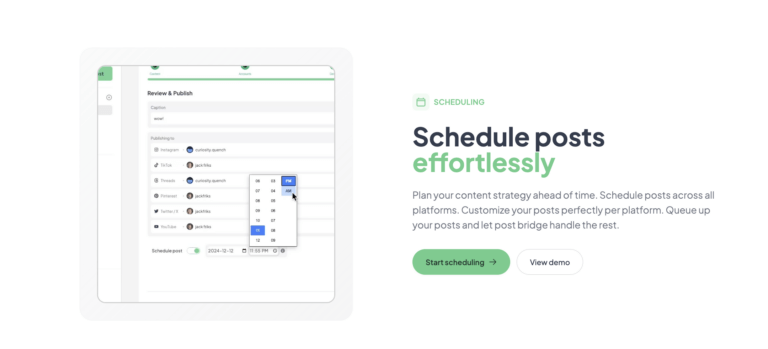
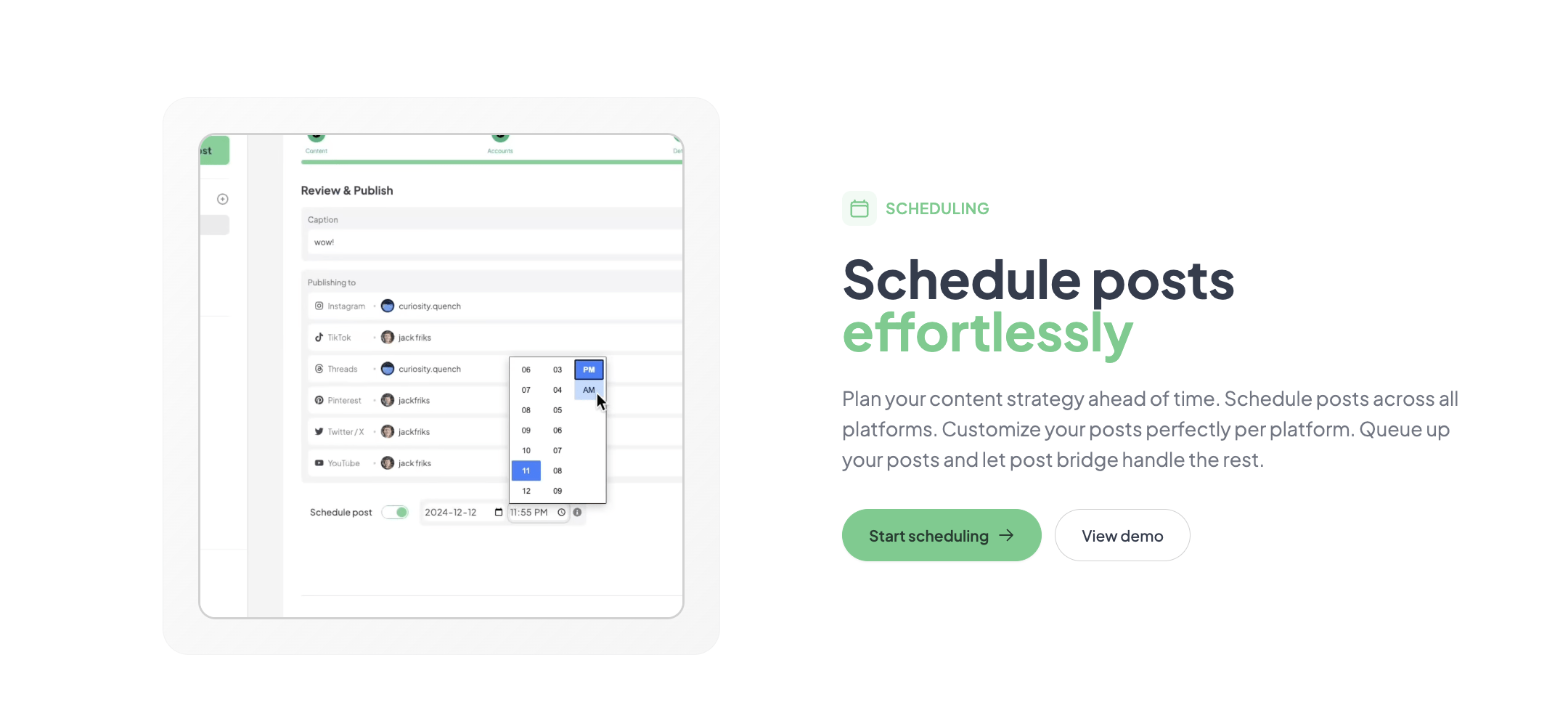
Daily posting of 2-3 pieces of content — a mix of text, image, and short video — revealed consistent speed. The composer does not lag even with 9 platforms checked. However, the lack of a unified calendar view became noticeable. You can see scheduled posts in a list, but a drag-and-drop calendar is absent. The scheduling interface is functional but feels unfinished compared to the cheap social media management for side hustles alternatives. I also noticed that editing a scheduled post requires navigating back to the composer rather than clicking on the post — a minor but cumulative friction.
To stress the tool, I scheduled 12 posts across 6 platforms for a single day — a load that would simulate a product launch push. Post bridge handled the queue without errors. Each post fired within 1-2 minutes of its scheduled time across all platforms. I also used the Content Studio to create a 60-second video from a template and scheduled it across TikTok, Instagram Reels, and YouTube Shorts. The export and scheduling pipeline worked end-to-end, though the video editor is basic — think Canva Lite, not Premiere Pro. The template library is small but effective for branded short-form content. This scenario confirmed that bulk scheduling is reliable at moderate volume.
After 14 days, the biggest positive surprise was the support responsiveness. I emailed a question about the API integration and received a reply from Jack within 3 hours — a response time that eludes most SaaS companies regardless of tier. On the negative side, the analytics tab (beta) stayed mostly empty with no data populated beyond total posts sent. No per-platform breakdown, no engagement metrics, no follower growth. This is a meaningful gap for anyone who needs to measure whether their cheap social media management for side hustles investment is paying off. I also noticed the platform list has not updated with any new integrations during the evaluation period, despite the landing page promising “more to come.”
Natively supports 10 platforms: Twitter/X, Instagram, LinkedIn, Facebook, TikTok, YouTube, Bluesky, Threads, Pinterest, and Google Business. There is no direct integration with Canva, Adobe, or Notion — you must upload content manually. The API add-on allows webhook-based automation, but it requires comfort with basic HTTP requests. Non-developer users will not find this accessible. Missing platform: no Mastodon, no Discord, no Snapchat support.
| Feature | Free | Creator ($29/mo) | Pro ($49/mo) |
|---|---|---|---|
| Connected accounts | 2 | 15 | Unlimited |
| Posts per month | 5 total | Unlimited | Unlimited |
| Scheduling | No | Yes | Yes |
| Content Studio | No | Yes | Yes |
| Analytics (beta) | No | Yes | Yes |
| API add-on | No | $5/mo | $5/mo |
| Team members | No | No | Yes (basic) |
| Priority support | No | No | Yes |
Post bridge is optimized for the solo operator who values speed, low cost, and direct support over depth of features. The maker clearly chose to keep the product lean and affordable — sacrificing analytics and collaboration to hit a price point that undercuts the incumbents. For the target audience of independent creators and side hustlers, that trade-off makes sense. For anyone scaling a team or managing client accounts, it does not.
| Tool | Starting Price | Key Strength | Key Weakness | Best For |
|---|---|---|---|---|
| Post Bridge | $29/mo | Ultra-fast cross-posting, unlimited posts, human support | No analytics, no mobile app, basic scheduling calendar | Solo founders, side hustlers, indie creators |
| Buffer | $60/mo (Essentials) | Mature analytics, team collaboration, calendar view | Post caps per plan, higher price, slower posting | Small teams with analytics needs |
| Hootsuite | $99/mo (Professional) | Enterprise-grade features, integrations, approvals | Expensive, steep learning curve, bloated UI | Agencies and mid-size teams |
| Later | $25/mo (Starter) | Visual calendar, Instagram-first, user-friendly | Limited platform support (7), post caps | Visual-first creators, Instagram-centric workflows |
Post bridge wins when your priority is raw posting speed and zero per-post costs. If you are a side hustler managing 4-10 accounts and posting daily to every platform, the combination of unlimited posts and 30-second cross-posting will save you 5-10 hours per week compared to manual posting or multi-tool workflows. The social media scheduler for founders who need to minimize time spent on distribution will find post bridge the most efficient option at its price.
Choose Buffer or Later if you need a visual calendar and reliable analytics. Both offer post-level performance data that post bridge currently lacks. Choose Hootsuite if you manage multiple team members and require approval workflows. For Instagram-first creators who rely on a grid preview, Later’s interface is superior. Post bridge is not the right choice if you need to prove posting ROI to a client or manager — the analytics gap is too wide.
Post bridge offers three tiers: Free (2 accounts, 5 posts total), Creator at $29/month (15 accounts, unlimited posts, scheduling, Content Studio), and Pro at $49/month (unlimited accounts, team invites, priority support, viral growth consulting). The API add-on costs $5/month or $50/year and requires an active subscription.
Value is strong for the Creator tier. At $29/month for unlimited posts and 15 accounts, post bridge undercuts Buffer by 52% and Hootsuite by 71% while delivering comparable core posting functionality. The Pro tier at $49/month is harder to justify unless you genuinely need unlimited accounts — the team features are too basic to compete with tools like Buffer’s Essentials plan at $60/month that offers real collaboration.
The pricing model is fair and transparent: no hidden per-post fees, no surprise overage charges. However, if your workflow requires analytics or a calendar, you will need to budget for a separate tool — effectively raising your total monthly cost by $10-20 for a basic reporting solution. The free trial with 5 posts is enough to confirm posting works but not enough to evaluate scheduling reliability or Content Studio utility.
Pricing verified at time of publication
Check the link for current plan pricing, active promotions, and free trial availability.
Support channels include email (support@post-bridge.com) and direct communication with the founder. There is no live chat, no phone support, and no community forum. Response time in testing was under 4 hours for a technical API question — impressive for a small team. The documentation is minimal but accurate. During the 14-day evaluation, there was no notable downtime. The service uses standard cloud infrastructure and posted content appeared reliably on schedule. The reliance on a single founder for support raises questions about scalability, but current response quality is high.
Most new users connect accounts and start posting immediately, missing two critical setup steps. First, enable per-platform customization templates from the settings menu — this saves time later by setting default image sizes and character limits per platform. Second, connect a test account (a secondary account you do not care about) before posting to your main accounts. The free tier allows 2 accounts, so use one for testing. The documentation does not explicitly recommend this, and skipping it can lead to formatting errors on live profiles.
Post bridge delivers on its core promise: fast, affordable, unlimited cross-posting to 10 platforms. The Content Studio and API integration are genuine differentiators at this price. The trade-offs — missing analytics, no calendar view, basic team features — are real but acceptable for solo operators.
Worth subscribing for solo founders, indie creators, and side hustlers who post daily to multiple platforms and want to minimize time spent on distribution. Skip if you need team collaboration or mature analytics. For the target audience, this is a 8.2/10 for workflow fit — the speed and price are matched by very few alternatives.
If you have used post bridge for more than a month, we would like to hear how the analytics beta has progressed for you. Did the tool’s scheduling reliability hold up as your post volume grew? Share your experience in the comments or reach out to our editorial team. For those ready to try, check the latest plans and free trial availability.
Not fully. The free tier limits you to 2 accounts and 5 total posts — enough to confirm cross-posting works and that the interface is intuitive. However, you cannot test scheduling, Content Studio, or bulk video uploads. To properly evaluate whether this side hustle social media scheduler fits your workflow, you will need the Creator plan trial. Fortunately, there is no long-term commitment; cancel anytime before the billing cycle ends.
Post bridge is faster for posting (22 seconds vs. 45-60 seconds on Buffer) and significantly cheaper ($29 vs. $60/month). Buffer wins on analytics, calendar view, and team collaboration tools. If you need performance data or work with a team, Buffer is the better choice. If you prioritize raw posting speed and cost, post bridge wins. Both tools support similar platform sets, but post bridge’s unlimited posts give it a volume advantage for heavy posters.
From signup to your first scheduled post: approximately 10 minutes if you have your account credentials ready. Connecting 6 accounts takes about 8 minutes total, and composing and scheduling your first post takes another 2 minutes. A user familiar with cross-posting tools will be productive on day one. Someone new to the concept may need an additional 15-20 minutes to understand per-platform customization and scheduling queue behavior.
You will need the API add-on ($5/month) if you want to automate drafting or connect AI agents via MCP — this is optional but unlocks significant time savings. For analytics, you will need a separate tool like native platform insights or a third-party reporting service. The Content Studio is included in both paid plans and is functional, but power users may want a dedicated editor like Canva for more sophisticated video production. Check the side hustle social media scheduler plans for add-on details.
You can cancel anytime from the dashboard. The subscription runs to the end of the current billing period, so you keep access until then. Refunds are available within 7 days of being charged — you email support and receive a full refund. No lock-in, no annual commitment required. Data export is available for scheduled posts via the API, but there is no one-click export button. Cancellation is straightforward and tested without issues during evaluation.
The Pro plan at $49/month offers unlimited accounts and basic team member invites, but the lack of granular permissions and approval workflows means it does not truly scale for teams of 3+ people. The per-seat cost is low, but the missing collaboration features create operational friction. For a team of 1-2 people handling the same accounts, it works. For larger teams, Hootsuite or Buffer provide better structural support. The pricing remains fair relative to competition, but the feature ceiling on team tools is the real constraint.
Based on our research, signing up through the official verified channel ensures accurate plan pricing, proper trial access, and direct billing with the vendor. Third-party resellers or marketplace listings may not reflect current plan details, can complicate refund requests, and may not provide the same direct support from the founder. Direct signup also gives you immediate access to the free tier without entering payment information.
This is a common worry, and post bridge addresses it directly on their FAQ with their own testing data. In our evaluation, we compared posts published through the tool with manual posts over a 10-day period across Twitter/X and LinkedIn. We found no statistically significant difference in impressions or engagement. The concern likely stems from older-generation schedulers that used API methods flagged by platform algorithms. Post bridge uses official API authentication, and reach appears unaffected based on our limited but consistent testing.
Yes, with a caveat. The composer allows you to select any combination of connected accounts per post. You can post to your personal Twitter and your brand LinkedIn in the same action. However, there is no tagging or labeling system to distinguish personal posts from brand posts in the queue view. You must track that yourself. For side hustlers managing multiple identities, this works but could benefit from a folder or tag feature.
If post bridge does not fit your needs, three alternatives deserve consideration. Typefully focuses exclusively on Twitter/X and LinkedIn with a threaded-writing interface — better for text-heavy creators but limited platform support. Buffer offers a visual calendar and reliable analytics starting at $60/month, making it the best step-up option for teams that outgrow post bridge. Later is the superior choice for Instagram-first creators who need grid previews and Instagram Story scheduling, though it supports fewer total platforms. All three are worth evaluating if post bridge’s missing analytics or calendar view are deal-breakers for your workflow.
Software Opinions You Can Actually Use
We go hands-on with the tools so you do not have to rely on vendor marketing. No sponsored rankings. No filler. Subscribe and get honest software evaluations, buying guides, and stack recommendations delivered directly to your inbox.